 Fitiva
My coach set up a monthly subscription for me
Subscribe through your coach's link; Settings then shows the plan, and Manage subscription lets you change your card, see invoices or cancel.
Some coaches charge a regular fee for coaching, for example every month. Your coach sets it up and sends you a subscribe link.
Subscribing
- Open the link from your coach.
- Pay with a card or Apple Pay through Stripe.
- From then on the fee is charged automatically at each renewal.
Where you see it
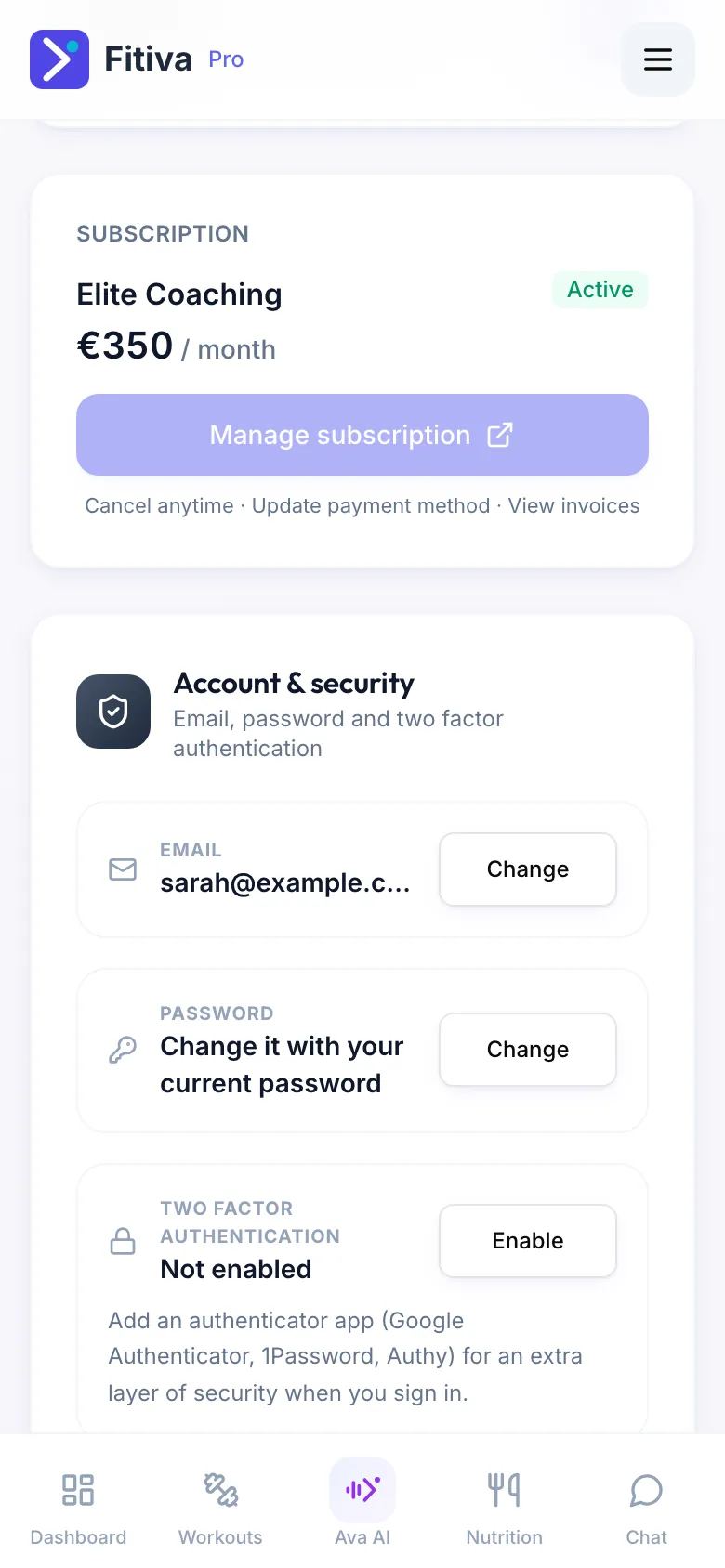
In Settings, each coaching subscription has its own Subscription card with the plan name, the amount, how often it is charged and its status. Manage subscription opens Stripe, where you can update your card, see your invoices or cancel. Plans that have ended move to Past plans, with View invoices.
Cancelling
- Manage subscription in Settings, or
- Cancel contracts here at the bottom of every Fitiva page, even without signing in: app.fitivapro.com/kuendigen. Choose Coaching subscription with a coach. You get a confirmation by email straight away.
If a payment fails
The card shows Payment failed and you get a notification. Update your card with Manage subscription to keep your plan active. Your coach is told too.
Your coach bills you directly? Some coaches keep track of a plan in Fitiva but take the money themselves. Then Manage subscription is greyed out; settle payments with your coach.
Want to withdraw instead of cancelling? See How do I withdraw from a contract?
Looking for something else?