 Fitiva
How do I book a session for an athlete?
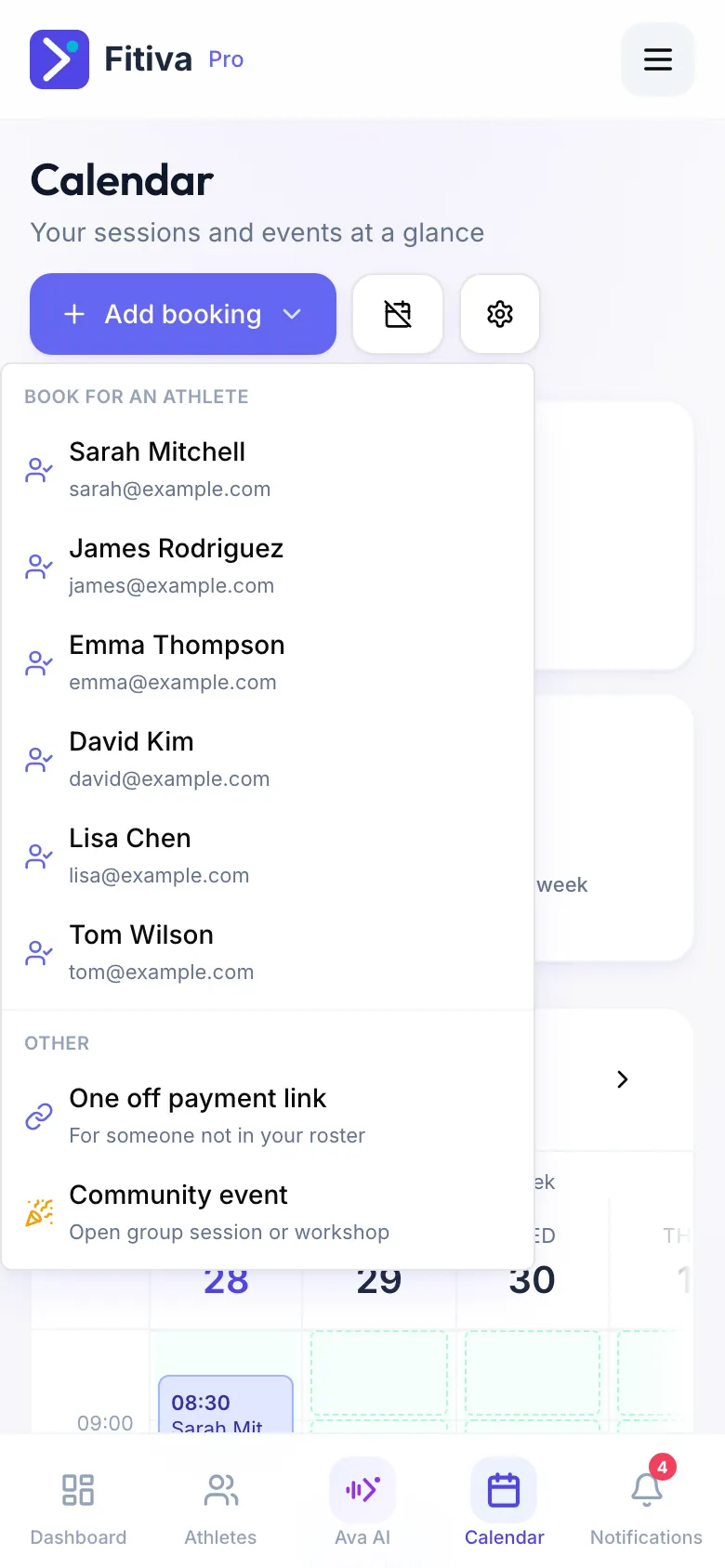
Use Add booking in the Calendar, pick the athlete and choose whether they pay through a link or in person.
Use Add booking in the calendar. You decide whether the athlete pays online through a link or pays you in person.
- Open Calendar and press Add booking.
- Under Book for an athlete pick the athlete. The menu shows six; for anyone else, open the athlete's page, go to Billing and press Send booking link. The same form opens.
- At the top, choose Send a payment link or Paid in person.
- Check the name, email and phone, then fill in the Service description, Date, Time, Duration (min), Amount (€) and Location.
- Press Generate Payment Link and send it with Copy payment link, Email or SMS, or press Add session for paid in person.
What happens next
- Payment link: when the athlete pays, the session is added to your calendar and they get a confirmation.
- Paid in person: the session goes straight into your calendar, and for someone on your roster also into their app. Open it and press Mark as paid once you have the money. Fitiva takes no fee on it.
Also in the same menu
- One off payment link: the same form for someone who is not on Fitiva.
- Community event: a group session.
Good to know
- A payment link needs Stripe connected under Financials. Without it, book the session as Paid in person.
- If you already have a session at that time, the app tells you.
Looking for something else?