 Fitiva
How do I block holidays or time off?
Press Time off in the Calendar, choose all day or a time range, and add the block; nobody can book that time.
Block the time in the calendar and nobody can book it.
- Open Calendar and press Time off (on a phone, the calendar icon with a line through it). Block time off opens.
- For a holiday, keep All day on and pick the dates under From and To.
- For a few hours on one day, switch off All day, pick the Date and set Start and End.
- Add a Reason (optional, private to you) if you like, for example "Vacation".
- Press Add this block.
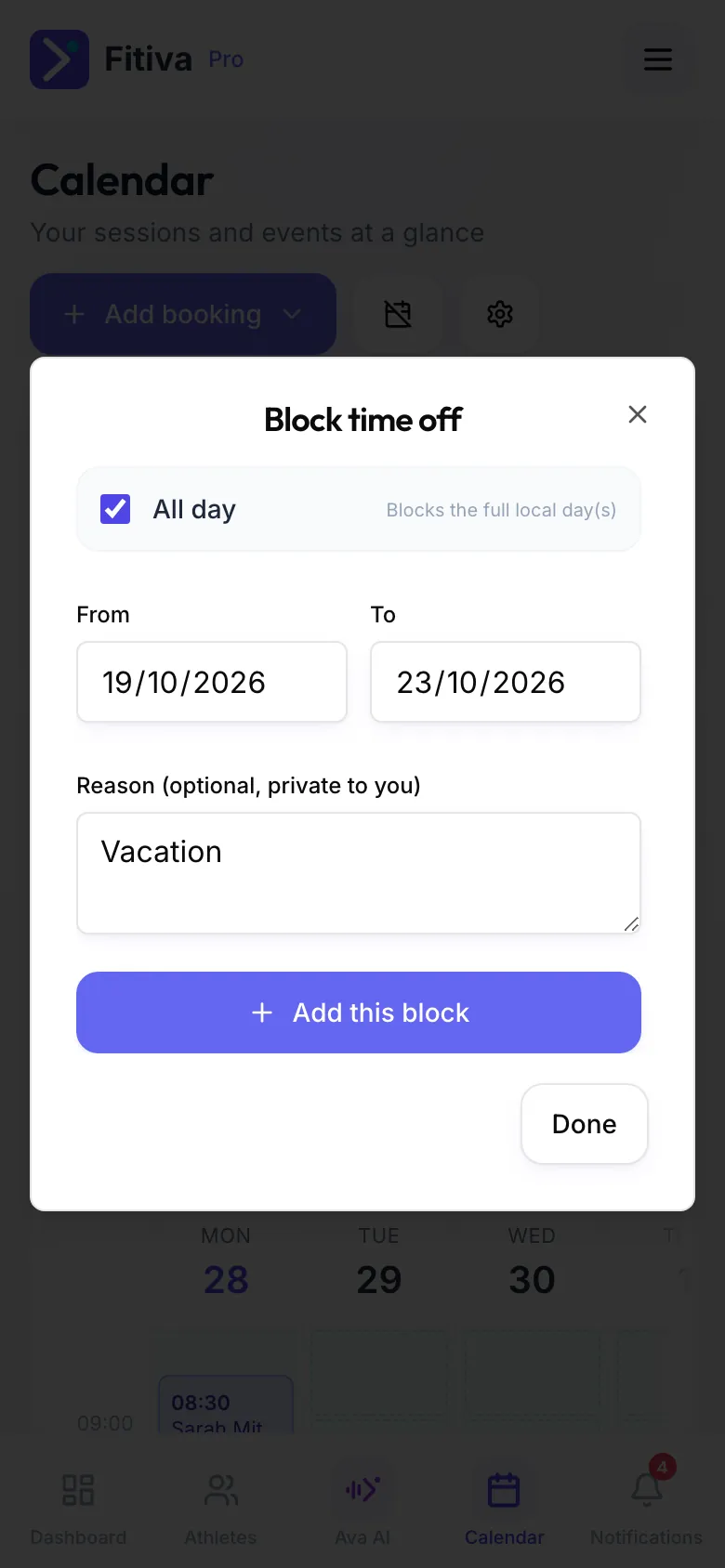
Upcoming blocks lists everything you blocked. Remove a block there when plans change.
Good to know
- Several days in a row only work as all-day blocks. For special hours on several days, add one block per day.
- Sessions that are already booked are not cancelled. Move or cancel them yourself.
- Ava can block time and remove a block when you ask. You confirm first.
Looking for something else?