 Fitiva
Can I bring a friend to a session?
Yes, if your coach allows a +1: your coach adds your friend to the booking and your friend pays the guest fee by card.
Yes, if your coach allows it. Your coach adds your friend to the booking, and your friend pays the guest fee through a payment link. You cannot add a guest yourself in the app.
For athletes
- Book your session as usual.
- Ask your coach in Chat to add your friend, with their name and email.
- Your friend gets a payment link by email or text. Once they pay, they are confirmed as your +1. They do not need a Fitiva account.
For coaches
- In Financials, under Bringing a friend, switch on Allow a +1 and set a Guest fee. A guest can only be added once a fee is set.
- Open the booking in your Calendar and tap Add guest.
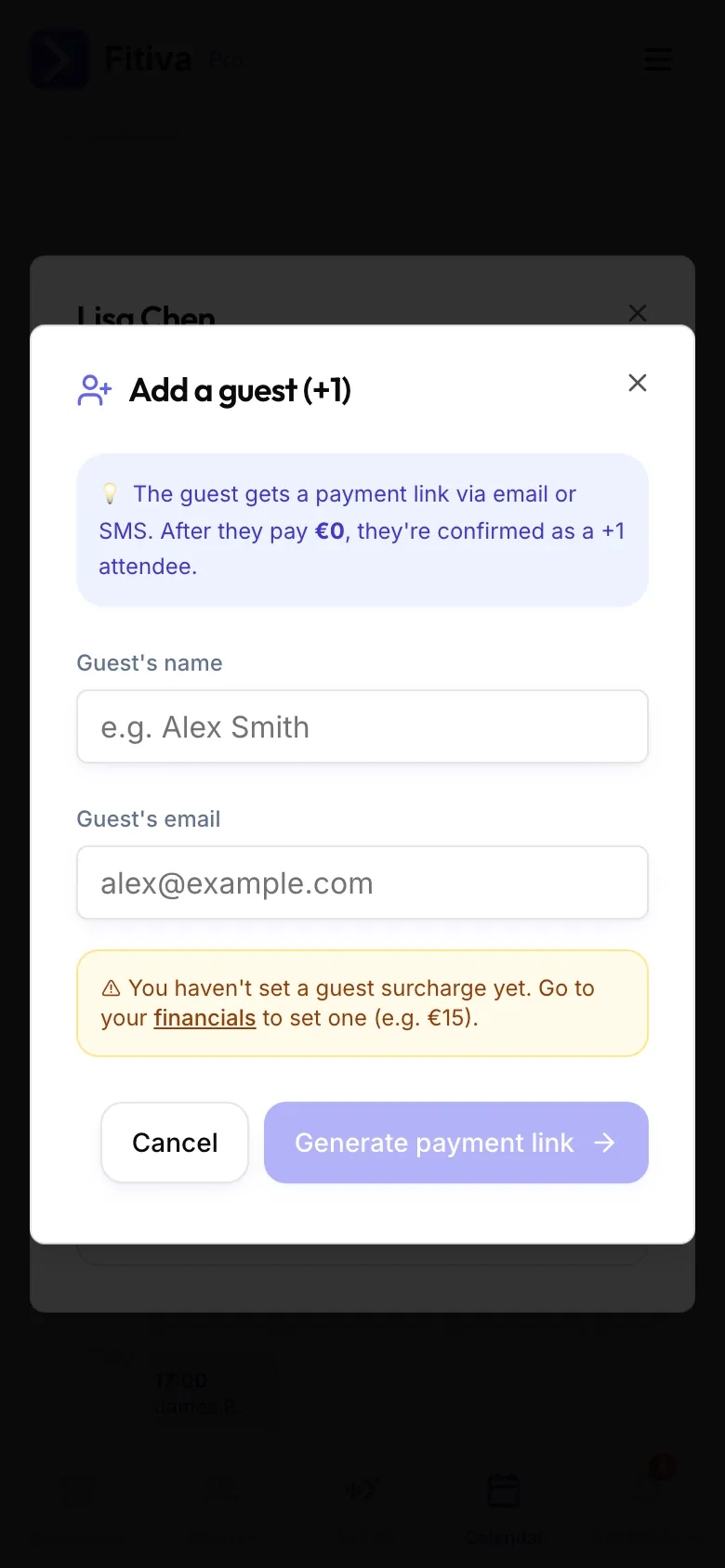
- Enter the guest's name and email. Fitiva creates a payment link you can send by email or text, or copy.
- Once the guest has paid, they show under Guests on the booking.
Adding guests needs card payouts set up with Stripe.
If the session is cancelled
Guests are told the session is off. Guest fees are not refunded automatically; the coach decides. To refund a guest fee, the coach writes to hello@fitivapro.com.
Looking for something else?