 Fitiva
How do I book a session with my coach?
Tap Book session on your coach's card, pick a length and a free time, then pay by card, use a package credit, pay at the session or send a request.
Open the booking page, pick a length and a free time, and confirm. How you pay depends on what your coach offers.
Where to start
- On your dashboard: Book session on your coach's card.
- On any coach's profile: Book a session.
- Or ask Ava, for example "book me a session with my coach on Friday at 6 pm". She shows you the time and the price and books only after you confirm.
How to book
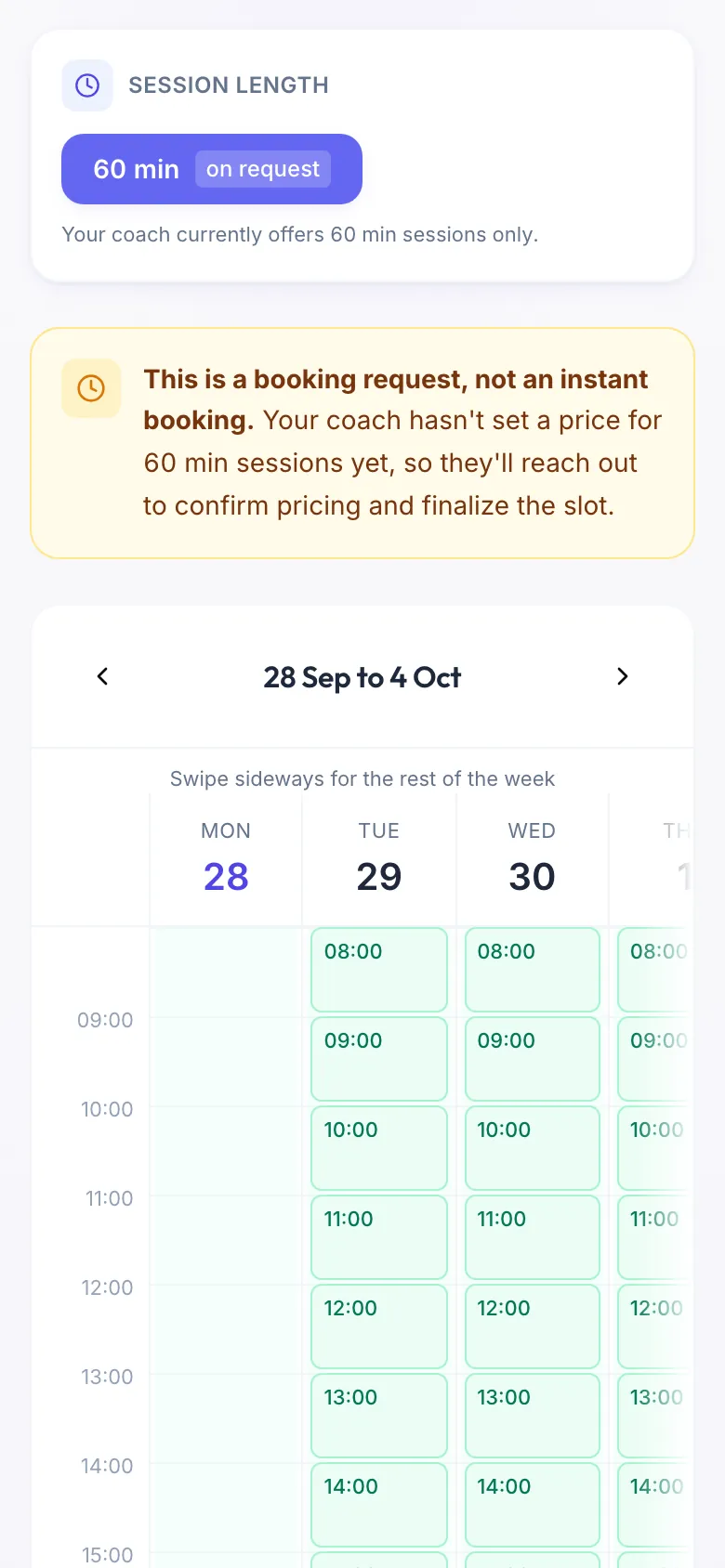
- Under Session length, pick a length. Each one shows its price, or on request if your coach has not priced it yet.
- Pick a free slot in the calendar. All times are your coach's local time.
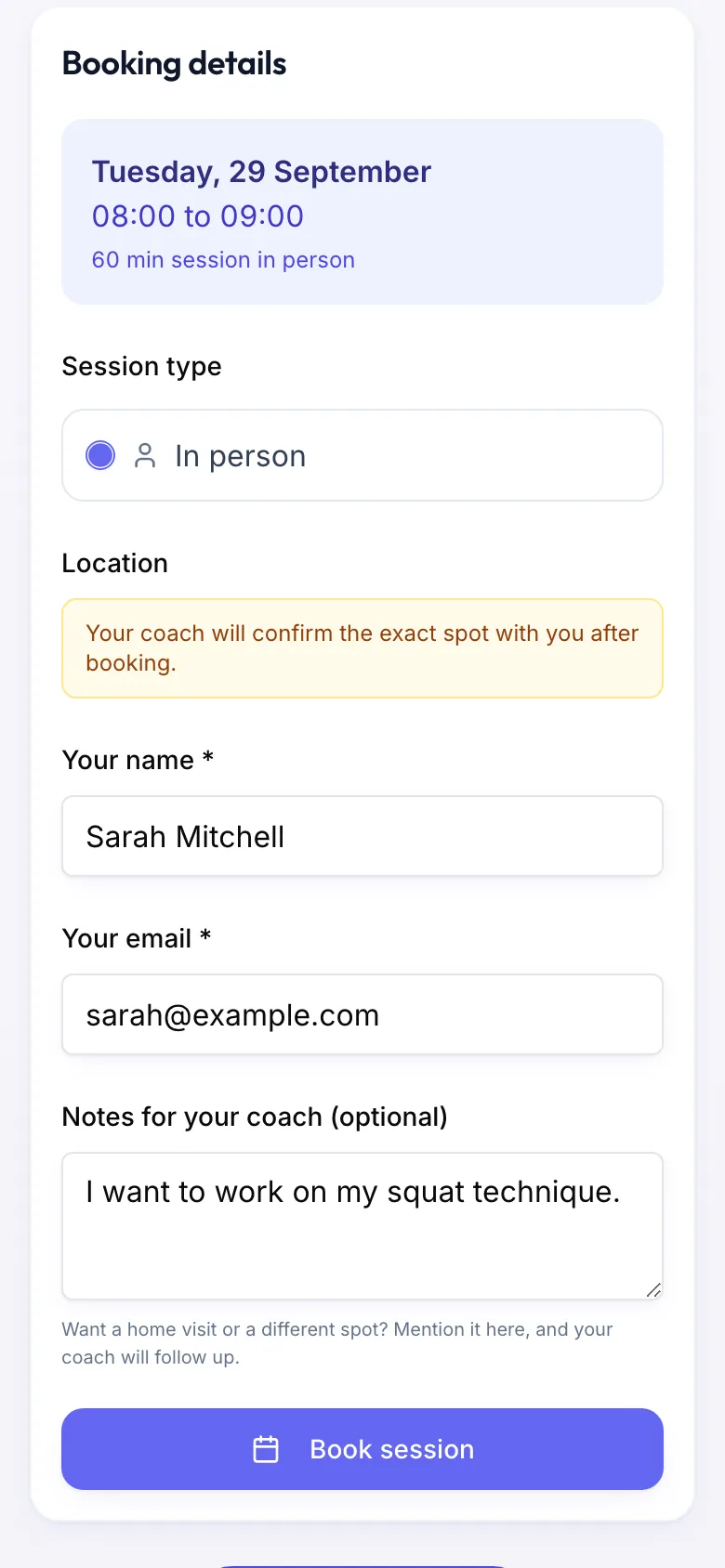
- Under Session type, choose In person or Video. Video only shows up when your coach allows it for that time.
- If you like, write something in Notes for your coach (optional), for example what you want to work on or an injury.
- Have credits from a package? Tick Use a credit from your package.
- If your coach has a cancellation and refund policy, read it and tick I have read and agree to this coach's cancellation and refund policy.
- Confirm with the button at the bottom.
The button tells you what happens
- Pay … & book: you pay by card through Stripe, and the session is confirmed as soon as the payment goes through.
- Use credit & confirm: one credit is used and the session is confirmed straight away.
- Request session: you pay at the session. Your coach confirms the time and you pay them directly.
- Book session: the length has no price yet. This is a request, not a free session. Your coach confirms the slot and agrees the price with you.
If your coach offers both ways to pay, choose Pay now by card or Pay at the session before you confirm. If your coach takes payment in person only, the page says so and there is nothing to choose.
What happens next
Your coach is told right away. Once the session is confirmed you get an email. On your dashboard, tap Next session to see the details, the address for a session in person and Add to calendar, which downloads a calendar file for Apple Calendar, Google Calendar or Outlook. You get a reminder about 24 hours before.
Good to know
- Your email has to be confirmed before you can book. The booking page can send the link again.
- Paying by card needs a Fitiva account.
- Need to cancel? Open the session on your dashboard and tap Cancel session. To move it, write to your coach in Chat.
Looking for something else?