 Fitiva
How do I move a session to another time?
Open the booking in the Calendar, press Edit, change the date or time and save; the athlete is told what changed.
Open the booking and edit it, or drag it to a new slot in the calendar.
- Open Calendar and tap the session.
- Press Edit.
- Change the Date, the Time, the Duration (min), the Type (In person or Video) or the place.
- Press Save.
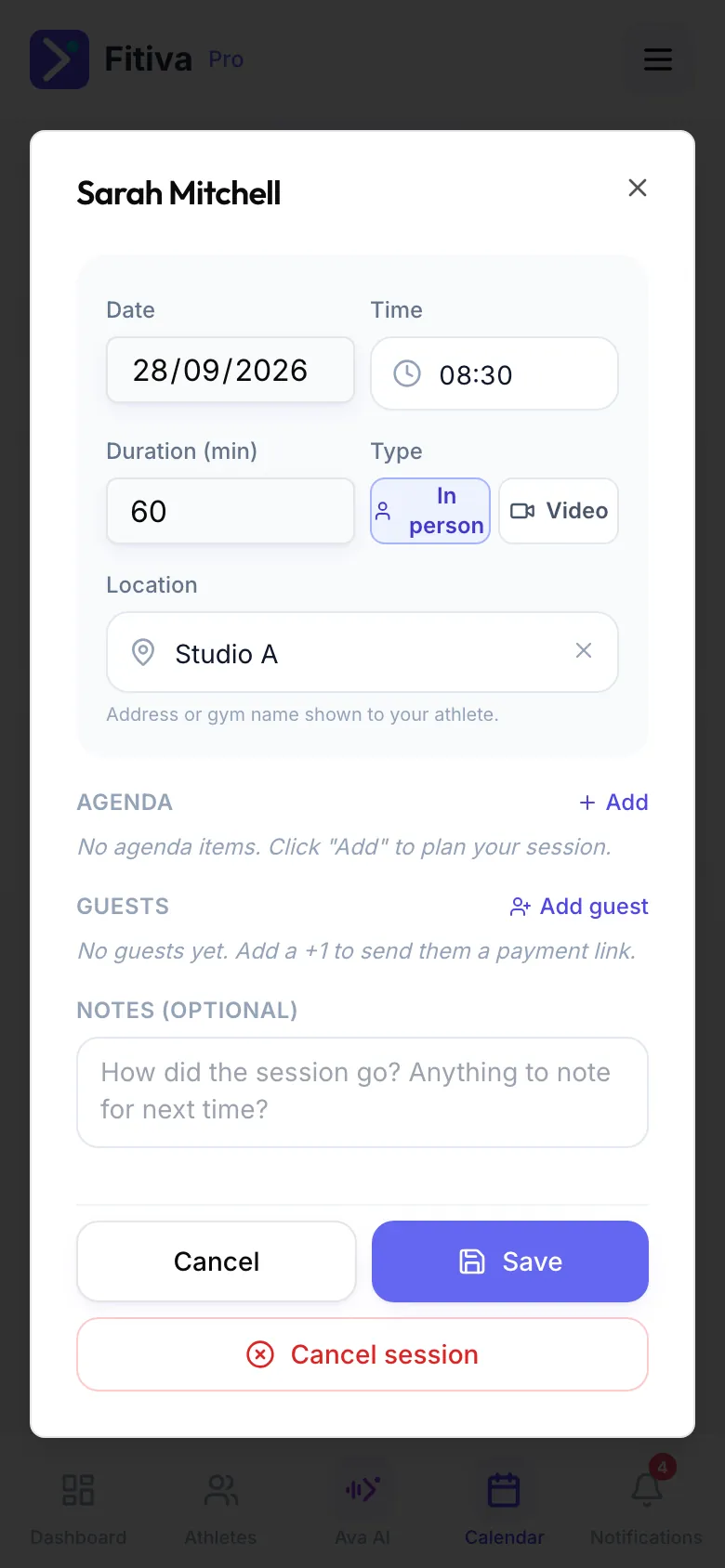
You can also drag the session to another slot in the calendar and confirm the question "Move … to … at …?".
What happens next
The athlete gets a notification with what changed: the new date, time or place. If the athlete has no Fitiva account, the app says so, and you tell them yourself.
Good to know
- Ava can move a session when you ask, for example "move Anna's session tomorrow to 6 pm". You confirm first.
- To call a session off instead, use Cancel session in the same booking.
Looking for something else?