 Fitiva
Where do I see my cancellations and withdrawals?
In Settings, Privacy & data: the Your cancellations and withdrawals list shows each one with its reference and status.
- Open Settings and scroll to Privacy & data.
- Under Contracts, below the buttons Cancel contracts here and Withdraw from contract here, you find Your cancellations and withdrawals.
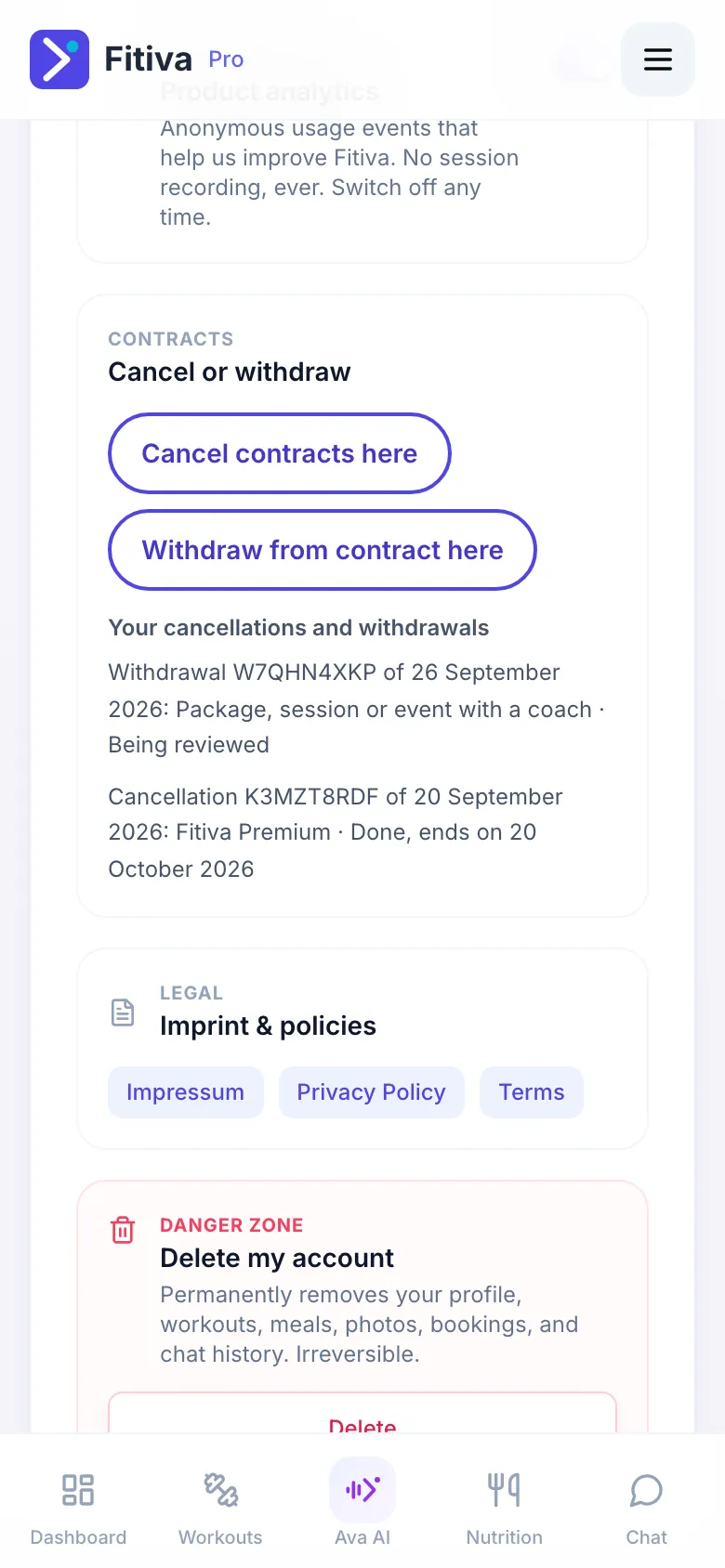
Each line shows the reference, the date we received it, the contract and its status:
- Received: it has reached us.
- Being reviewed: we are checking it.
- Done, or Done, ends on with a date: it has been carried out, and the contract ends on that date.
- Reversed: it was taken back, for example with That was not me.
The list shows declarations we matched to your account, and those you sent while signed in. It only appears once there is at least one. For every declaration we also send a confirmation by email.
The confirmation went to a different address. This note means someone gave another email for the confirmation. If that was not you, contact support.
Looking for something else?