 Fitiva
Can I change plans later?
Yes: a switch between paid plans happens right away with the difference settled, while a move to Free waits until your paid period ends.
Yes. Everything happens on your plan page: Settings, Fitiva plan. Ava opens it too if you ask.
Switching between paid plans (coaches: Pro and Elite, either way)
- Under Choose your plan, pick Monthly or Annual.
- Press Upgrade on a higher plan, or Switch to Pro on the lower one.
- Check the next screen and confirm.
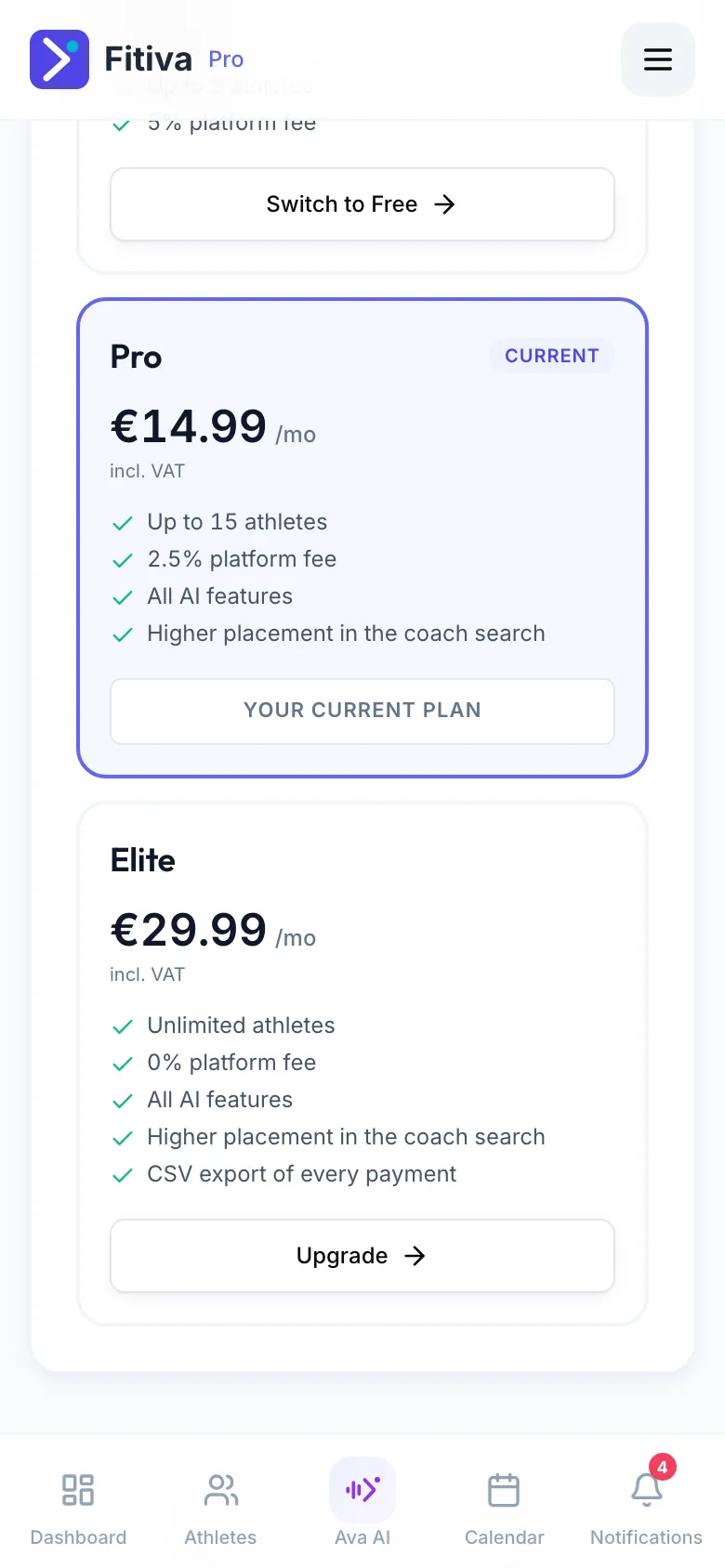
The switch happens immediately:
- Moving up, you pay the difference for the rest of your current billing period right away.
- Moving down, the difference becomes a credit on your next invoice.
- If that payment fails, nothing changes and you stay on your plan.
- A switch changes your current subscription, so it comes without a new free trial.
Moving to Free (athletes and coaches)
Press Switch to Free and confirm. You keep your paid plan until the end of the period you paid for, then you move to Free, with nothing more to pay. Until then the page shows Keep my plan, which undoes it.
Monthly or yearly on the plan you already have
You pick monthly or yearly when you start a plan. Your plan's card then shows Your current plan, and the plan page has no button to change the billing period. If you want to change it, contact support.
Premium at the launch price keeps that price for as long as the subscription runs (see What is the Premium launch price?).
Looking for something else?