 Fitiva
Where do I find my invoices?
Invoices for your Fitiva plan are at Stripe, one tap from your plan page, and a coaching subscription has its own button in Settings.
Fitiva keeps no invoice list of its own. Your invoices are at Stripe, and Fitiva opens the right place for you.
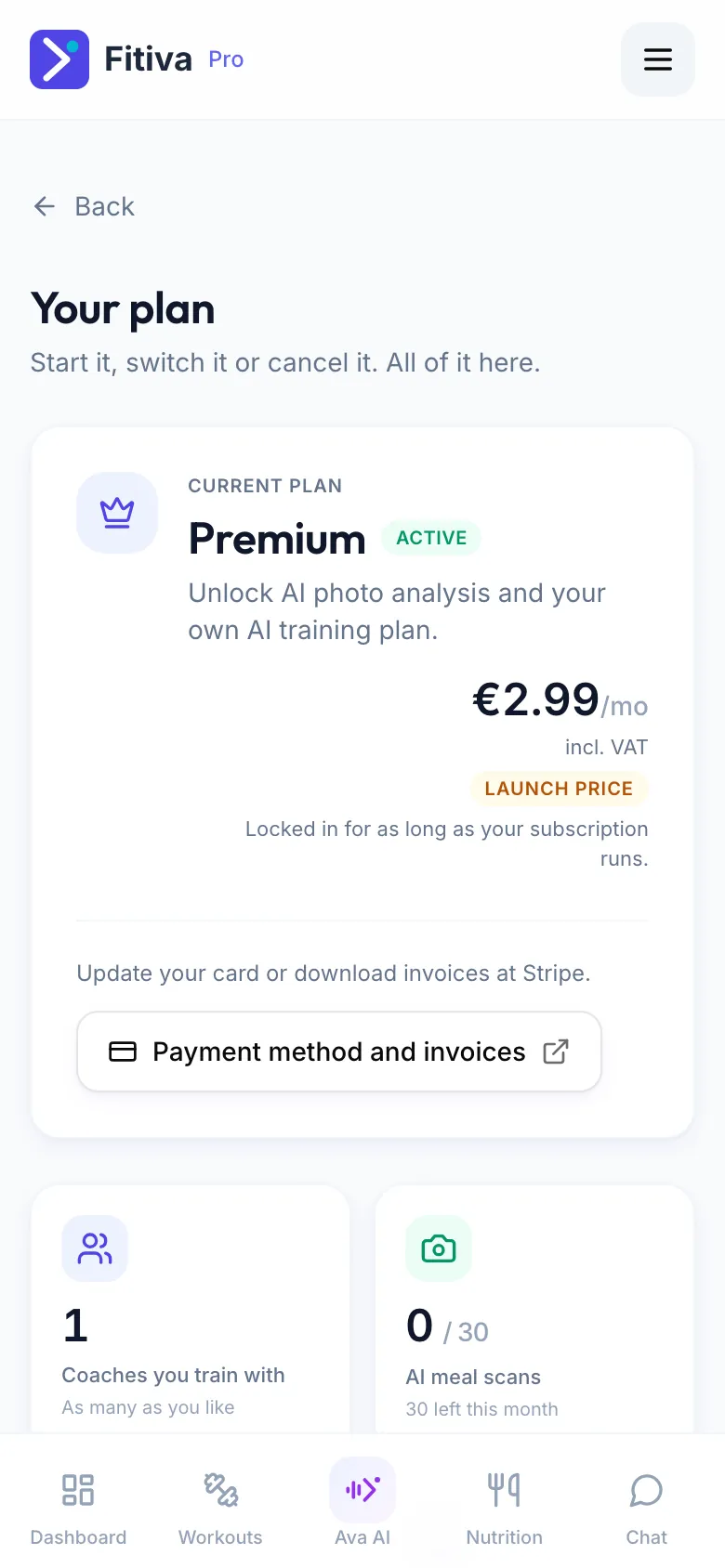
Your Fitiva plan (Premium, Pro or Elite)
- Open your plan page: Fitiva plan in Settings takes you there. Athletes also find it on My Profile.
- On Your plan, press Payment method and invoices.
- Stripe opens. Download past invoices there, or change the card you pay with.
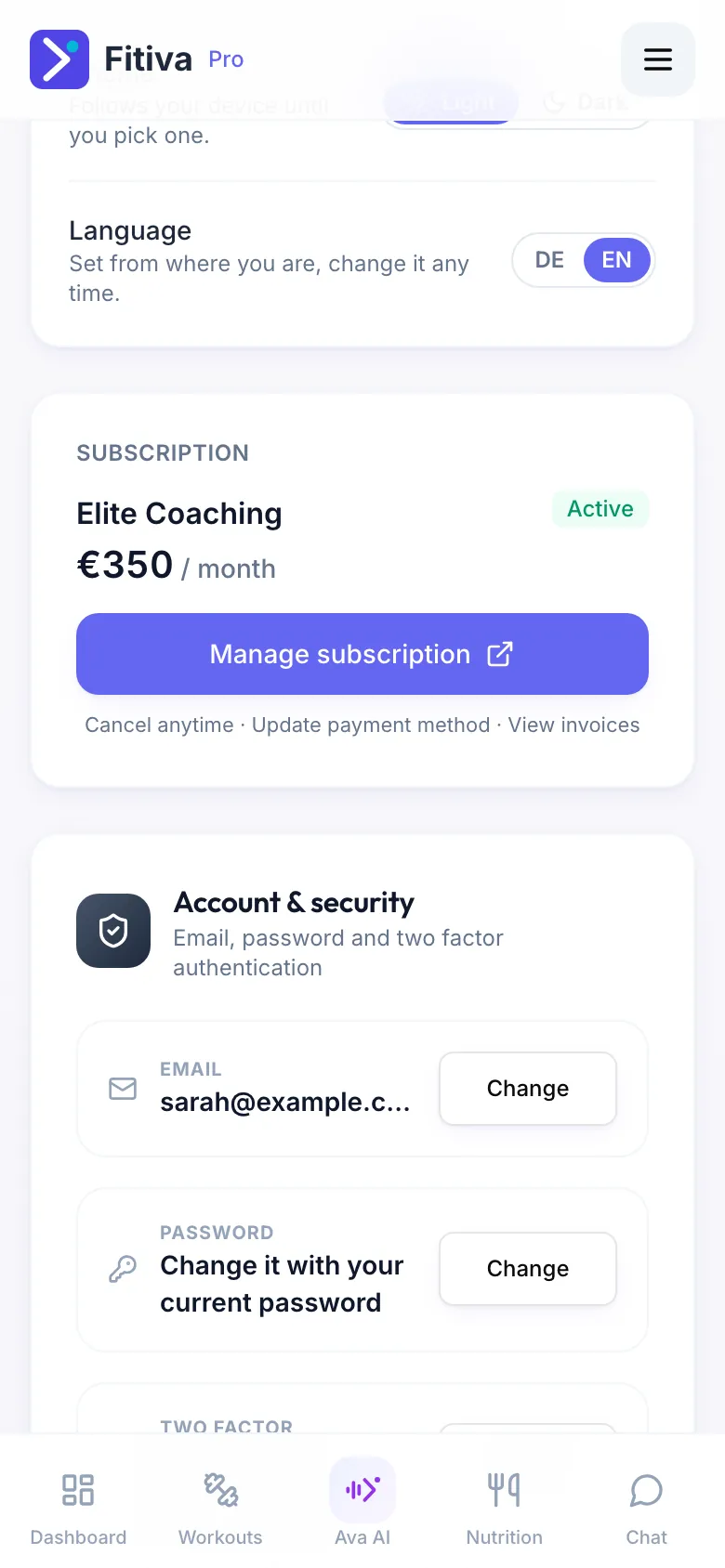
A coaching subscription you pay your coach (athletes)
- Open Settings.
- On the Subscription card, press Manage subscription. For a plan that has ended, press View invoices under Past plans.
One-time payments, such as a single session or a package, are listed on the Payment history card in Settings.
Good to know
- An account that has never paid for a plan has no invoices, so the button does not show.
- Once your plan has ended and you are back on Free, the plan page no longer shows the button. Contact support if you need an invoice from that time.
- Ava opens your plan page for you if you ask.
- Money your athletes pay you is a different thing: coaches find it under Financials.
Looking for something else?