 Fitiva
How do I create a group event?
Create a group session from Events or the Calendar, choose public or private and free, free with donations or paid, and share the link.
Events are group sessions like a bootcamp, a yoga class or a run club. You create one in a minute and share its link.
- Open Events and press Create event, or in Calendar press Add booking and pick Community event.
- Give it a title and, if you like, a description.
- Set the Date, Time, Duration (min) and Capacity (max).
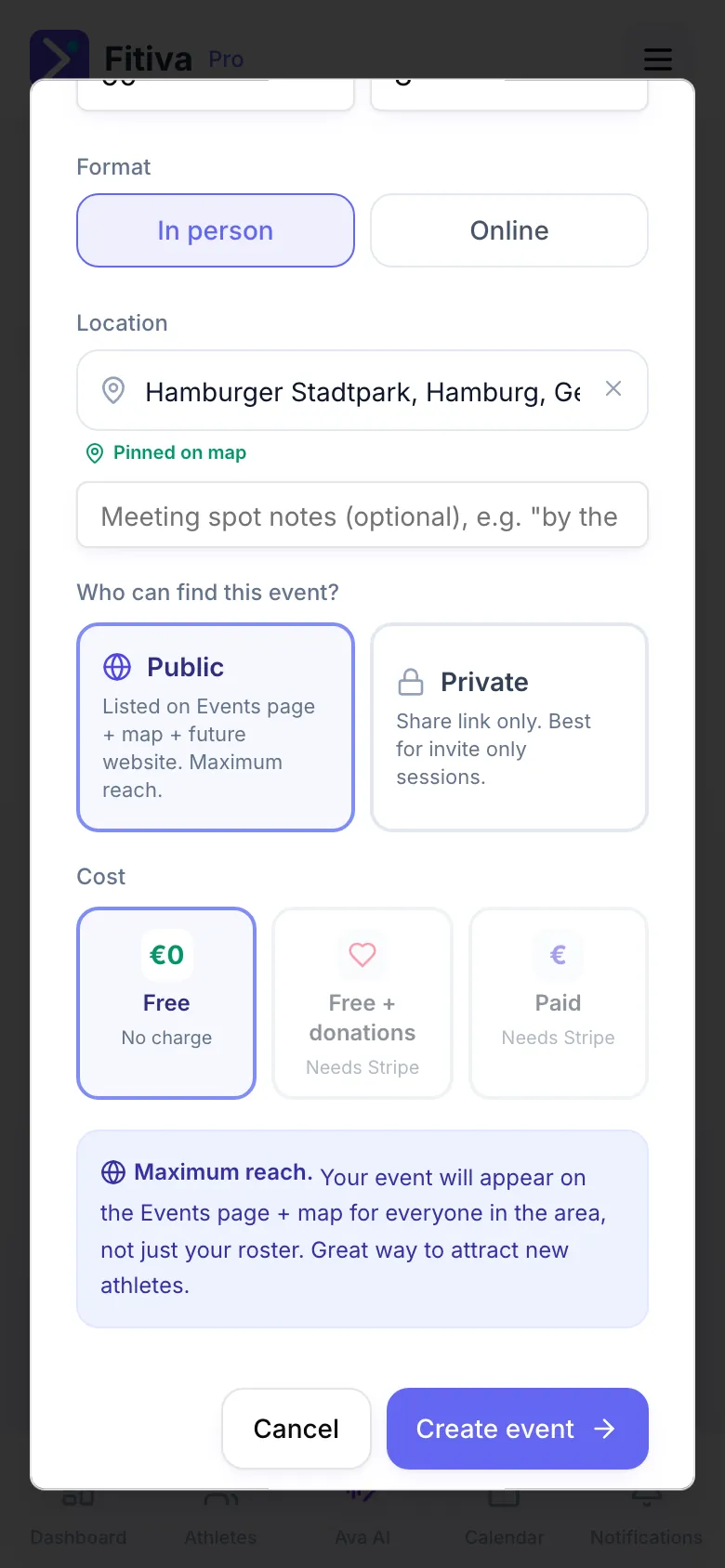
- Choose the Format: In person or Online.
- Type the Location and pick the address from the list so it gets a pin (Pinned on map). Add a meeting spot note if people need one.
- Under Who can find this event? pick Public (listed on the Events page and its map) or Private (only people with the link).
- Under Cost pick No charge, Free + donations (a tip jar with suggested amounts of €5, €10 and €20) or Paid (a fixed price per person).
- Press Create event.
After saving
You get the Share link with Copy, Email and SMS. The event also appears in your Calendar. Open it there to invite your athletes, make a flyer, plan an agenda and see who is coming.
Money
- Paid events and donations need Stripe connected under Financials. Without it, the form asks you to connect first.
- On paid tickets and donations Fitiva takes your plan's platform fee (5% on Free, 2.5% on Pro, 0% on Elite) plus Stripe's card fee of 1.5% + €0.25 per payment. Ticket sales and donations show under Income from Events in Financials.
Good to know
- There is no separate field for a video link. For an online event, say in the description how people join.
- A public event is seen by athletes in the area, not only by your roster, which makes it a good way to meet new people.
- To join a free event, people need a free Fitiva account. A paid ticket can be bought with a name and an email.
Looking for something else?