 Fitiva
How do I build and reuse workout routines?
Build a routine once on the Workouts page, by hand or with AI, and assign it to any athlete for a day of your choice.
Build a routine once on the Workouts page and give it to any athlete, as often as you like.
Build one yourself
- Open Workouts and press New Routine.
- Pick Build it yourself.
- Under Basic Information give it a name and, if you like, a description. Under Assign to Athlete pick someone, or No athlete (template) to keep it in your library.
- Set the Difficulty, the Duration (minutes) and the Target Muscles.
- Under Exercises press Add Exercise for each exercise and choose its type: Strength (sets, reps, weight, rest), Endurance (a run, ride or swim), Intervals, Technique (drills, for example for golf or ball sports) or Mobility.
- Press Create Routine.
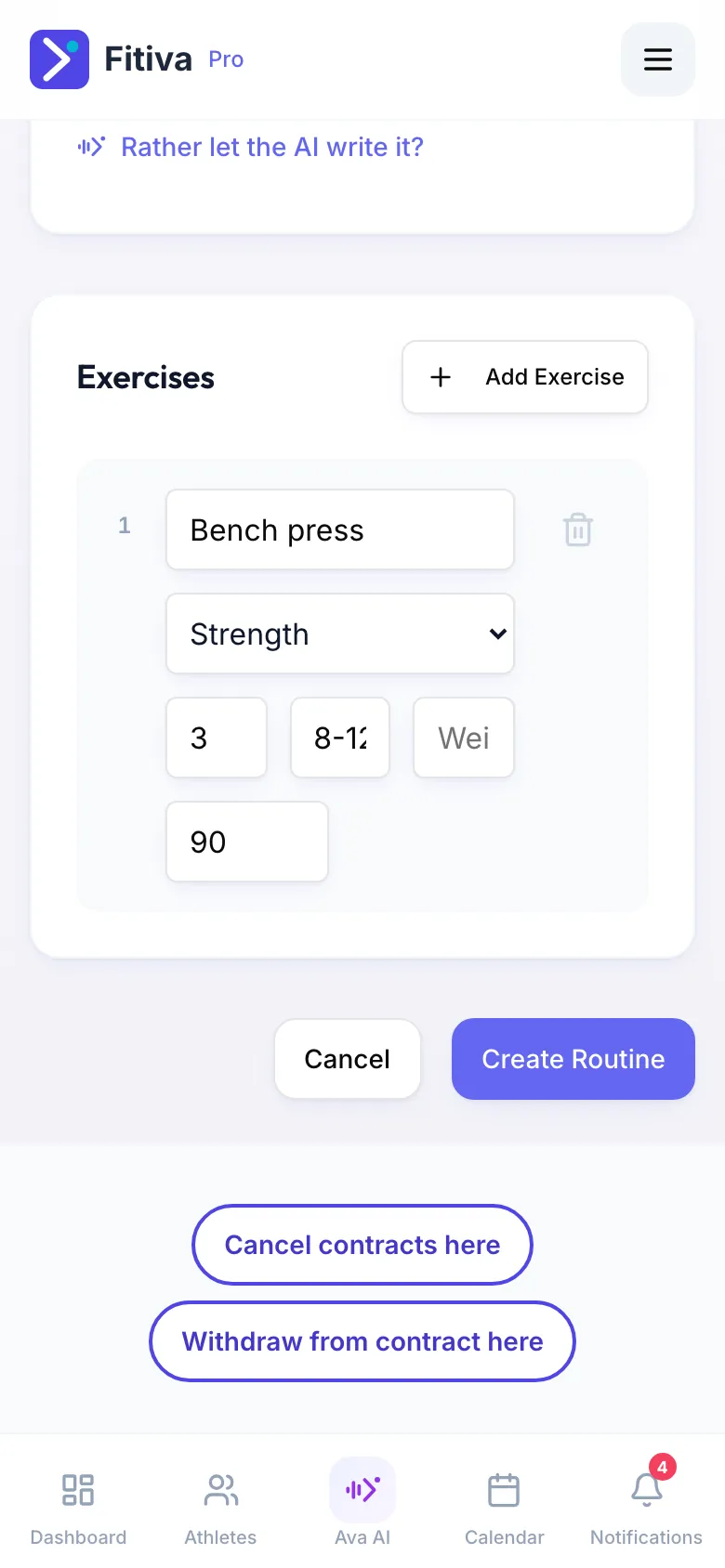
Or let the AI write it
Pick Let AI build it instead. Answer A few questions first (sport, goal, level, time, equipment and anything that hurts) and press Write my routine. The draft opens in the same form, so you change what you like before you save. One routine at a time is free on every plan, within the daily AI limit. A programme over several weeks is Assign Plan on the athlete's page (Pro and Elite).
Give a routine to an athlete
- Open the athlete. On the Overview tab find Assigned workouts and press Assign.
- Pick the Routine.
- Under When? choose Today, Tomorrow or Pick a date, or press Clear (no fixed date) so they can do it any day.
- Press Assign.
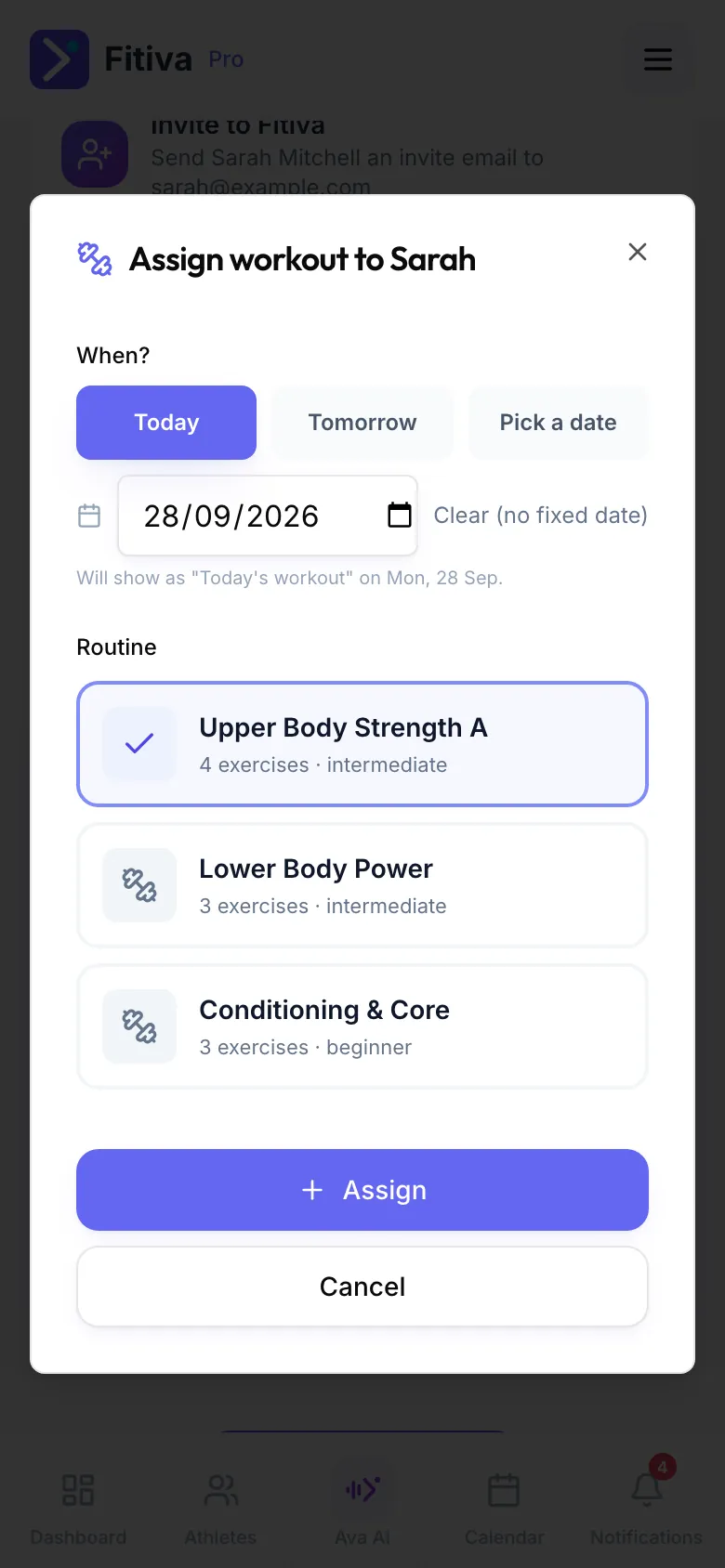
With a date, it shows as their workout on that day. Without one, they choose when to do it.
Good to know
- Filter your library by Beginner, Intermediate or Advanced, or search it by name.
- Add videos and instructions in the Exercise Library. Athletes see them when they open an exercise with the same name.
- Ava can create a workout for an athlete or assign one of your routines when you ask. You confirm first.
Looking for something else?