 Fitiva
What's the difference between Posts and Notifications?
Posts are a feed for all your athletes or public on your profile; notifications go to one athlete's inbox and are pushed or emailed to them.
Posts are for everyone: tips, announcements, motivation. Notifications are for one person: a reminder, a plan update, a nudge.
Posts
- Open Posts and press New Post.
- Pick the Post Type (Announcement, Tip, Update, Motivation or Educational), add a title if you like and write the Content. Add images or videos under Media (optional).
- Choose the Audience: My athletes (only people on your roster) or Public (shown on your public profile, anyone can read it).
- Switch on Pin this post to keep it at the top. One post can be pinned at a time.
- Press Publish post.
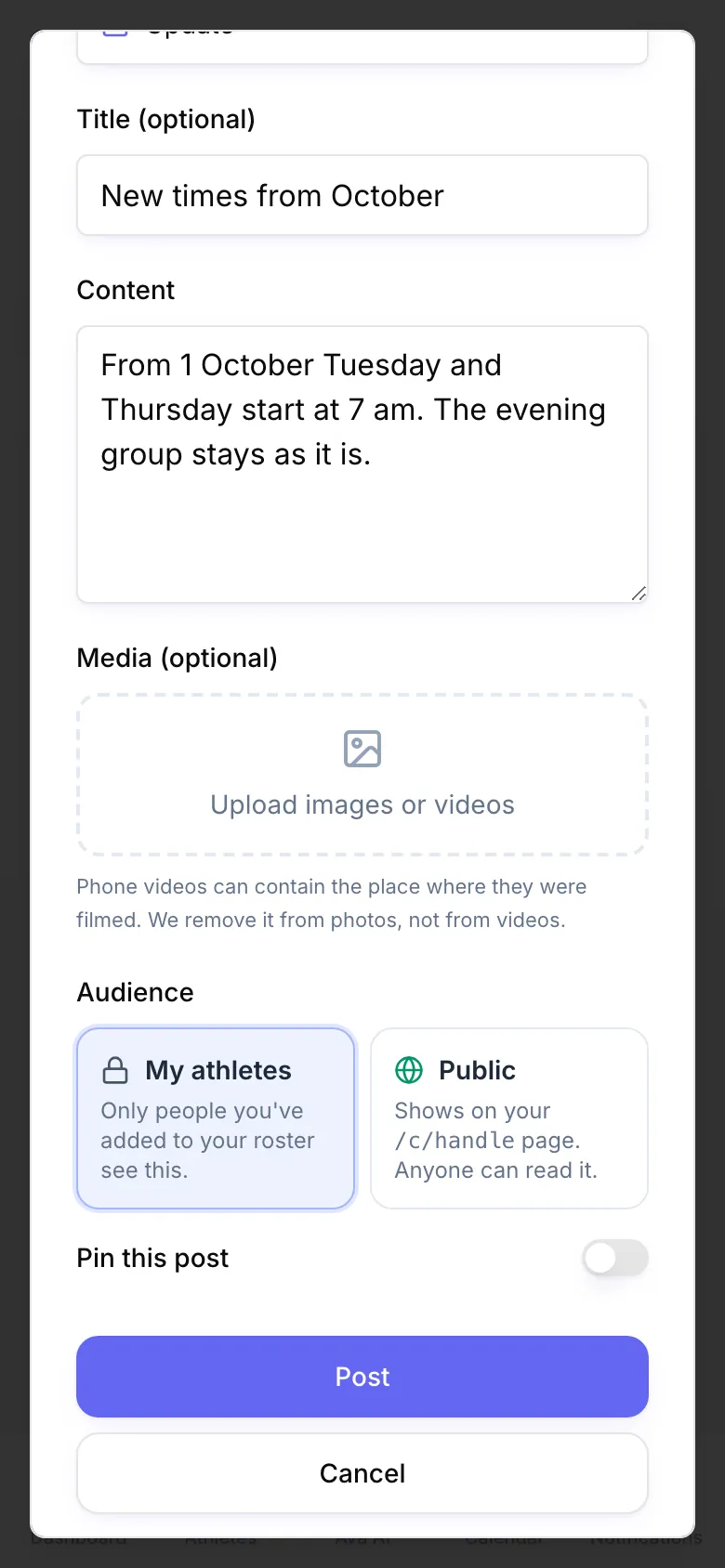
Posts appear as cards on your athletes' dashboards. Public posts also show under Recent posts on your public profile. You can edit, pin, unpin or delete a post later.
Notifications
- Open Notifications and press Send notification.
- Pick the athlete, then write a Title and a Message and choose a Type (Reminder, Appointment, Progress, Plan Update or Custom).
- Press Send.
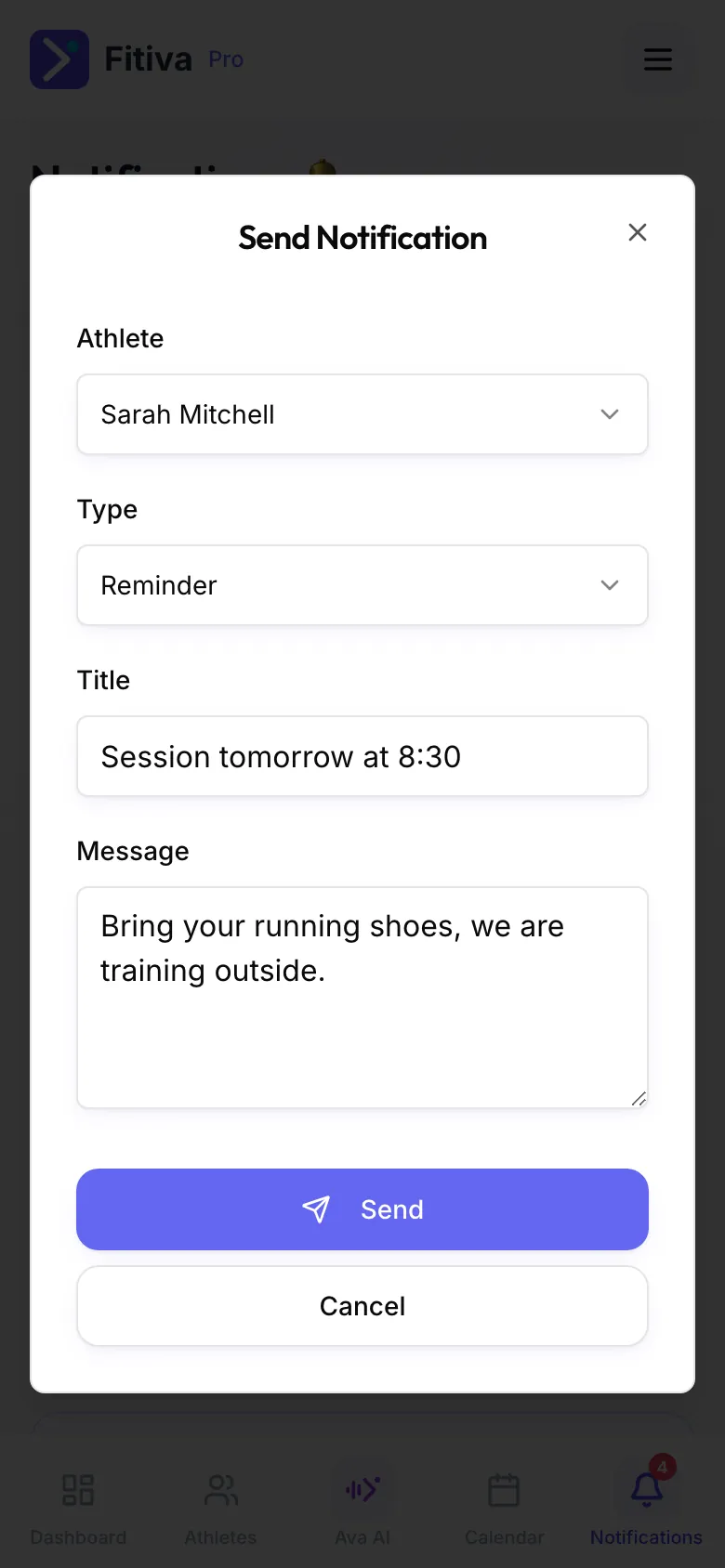
It lands in the athlete's notifications and is also pushed or emailed to them. Received shows what reached you (bookings, messages, payments, event activity), Sent shows what you sent, including payment requests.
Which one?
Something for everyone goes in a post. Something for one person goes in a notification. For a real conversation, use the chat.
Good to know
- An athlete who has not accepted your invite yet cannot receive notifications.
- Phone videos can contain the place where they were filmed. Fitiva removes it from photos, not from videos.
- Ava can send a notification to one athlete, several or everyone, or post an announcement, when you ask. You confirm first.
Looking for something else?