 Fitiva
What's on my coach dashboard?
Your dashboard shows today, what needs you and how your business is doing, from the setup checklist down to the activity stream.
Your Dashboard reads from top to bottom like your day.
- At the top: a greeting, a ring with today's sessions, and shortcuts to your notifications, your chats and Add athlete.
- Finish setting up Fitiva: a checklist for new coaches with six steps (your handle, your availability, your prices, bio and photo, your training location and Stripe). When all is done it says You're all set up. You can dismiss it once three steps are done.
- Four figures: what stays with you this month after fees, new athletes in the last 7 days, active athletes and your bonus credits.
- Today's focus: today's sessions in order, with a countdown to the next one. Confirm or decline a request in two taps.
- Know other trainers?: now and then, a card to invite colleagues.
- Weekly briefing (Pro and Elite): every Monday morning Ava ranks the athletes worth your time this week.
- Pulse: live, who needs attention and who is worth celebrating.
- Your roster: every athlete with a coloured health dot, filters for Needs attention, On track and New, and your open requests.
- Activity stream: the latest workouts, meals and records your athletes logged.
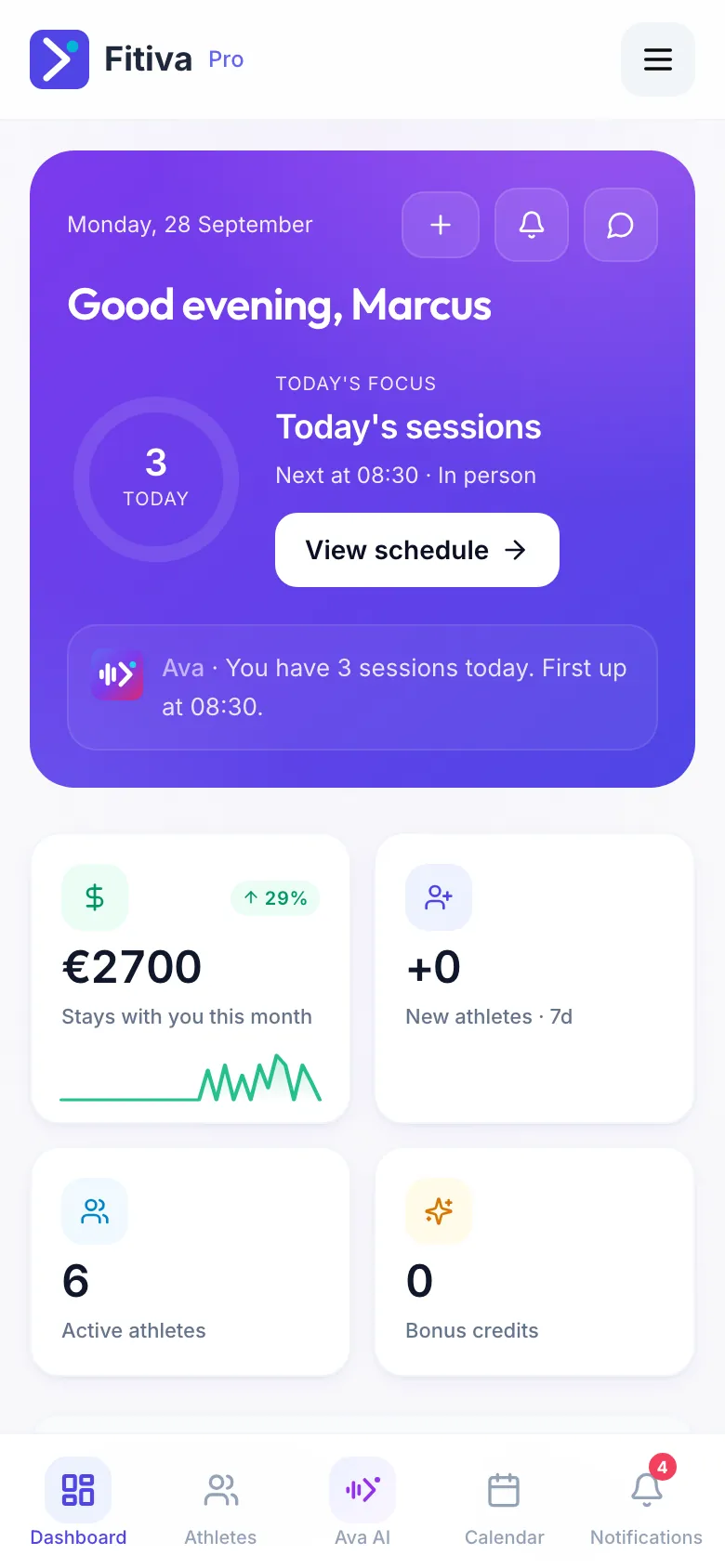
Tap anything to go deeper: a session opens its booking, a name opens the athlete.
Looking for something else?