 Fitiva
How do I assign a nutrition plan?
Let the AI work out targets and meal options with Assign Plan (Pro and Elite), or write the plan yourself with Create Plan on the athlete's Nutrition tab.
You have two ways. The AI wizard under Assign Plan works out daily targets and several meal options per slot for you, and needs Pro or Elite. The manual editor lets you write every target and meal yourself, on every plan.
With AI (Pro and Elite)
- Open the athlete, press Assign Plan and pick Nutrition plan.
- Choose the Goal: Fat loss, Maintain or Muscle gain.
- Set the Duration and Meals per day, tick any Dietary preferences (for example Vegetarian, Vegan, Gluten free or Halal) and list Allergies.
- Press Generate with AI.
- Check the calories and macros, the AI reasoning and the meal options for each slot. Edit, remove or add options.
- Press Approve & assign.
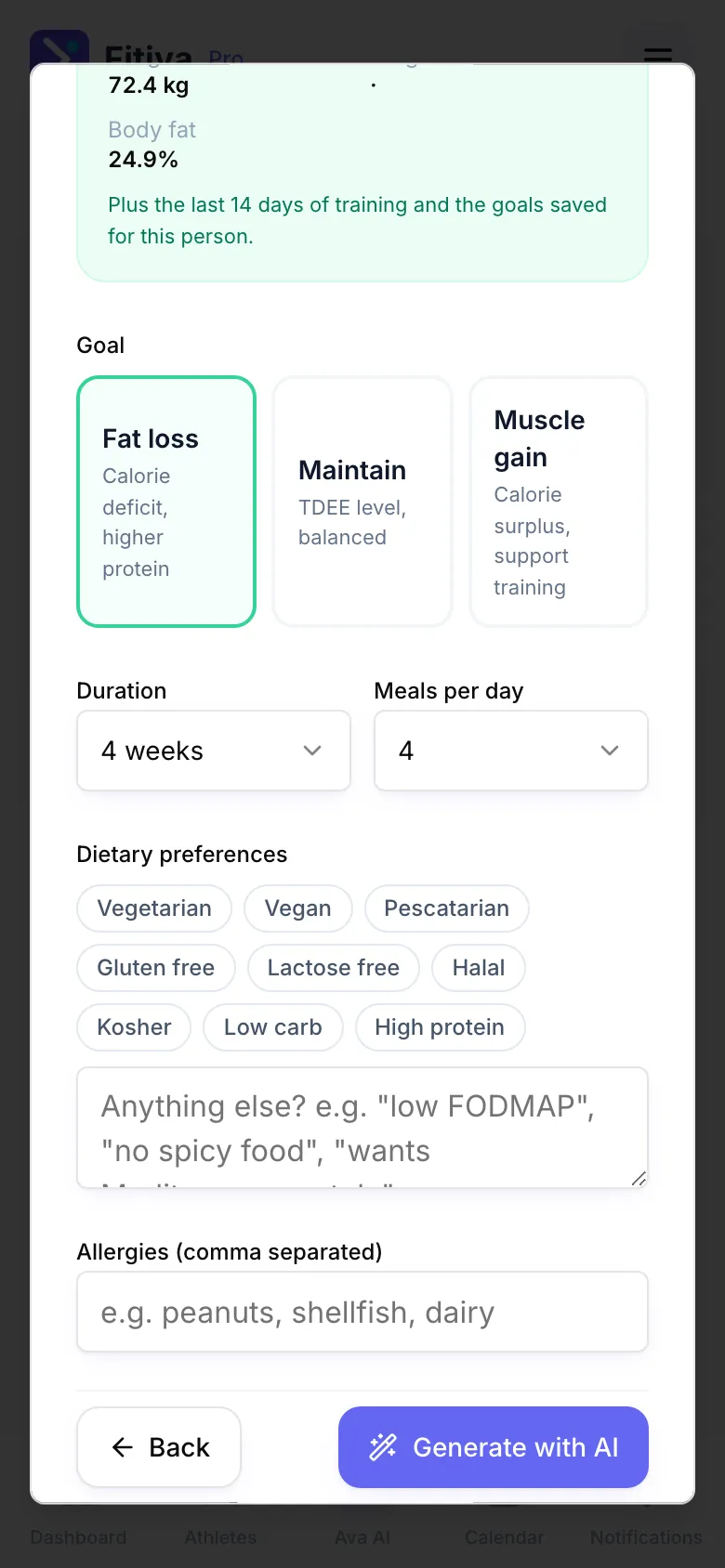
The AI also reads the athlete's age, weight, height and body fat, the last 14 days of training and the goals saved for them.
By hand (every plan)
- Open the athlete and go to the Nutrition tab.
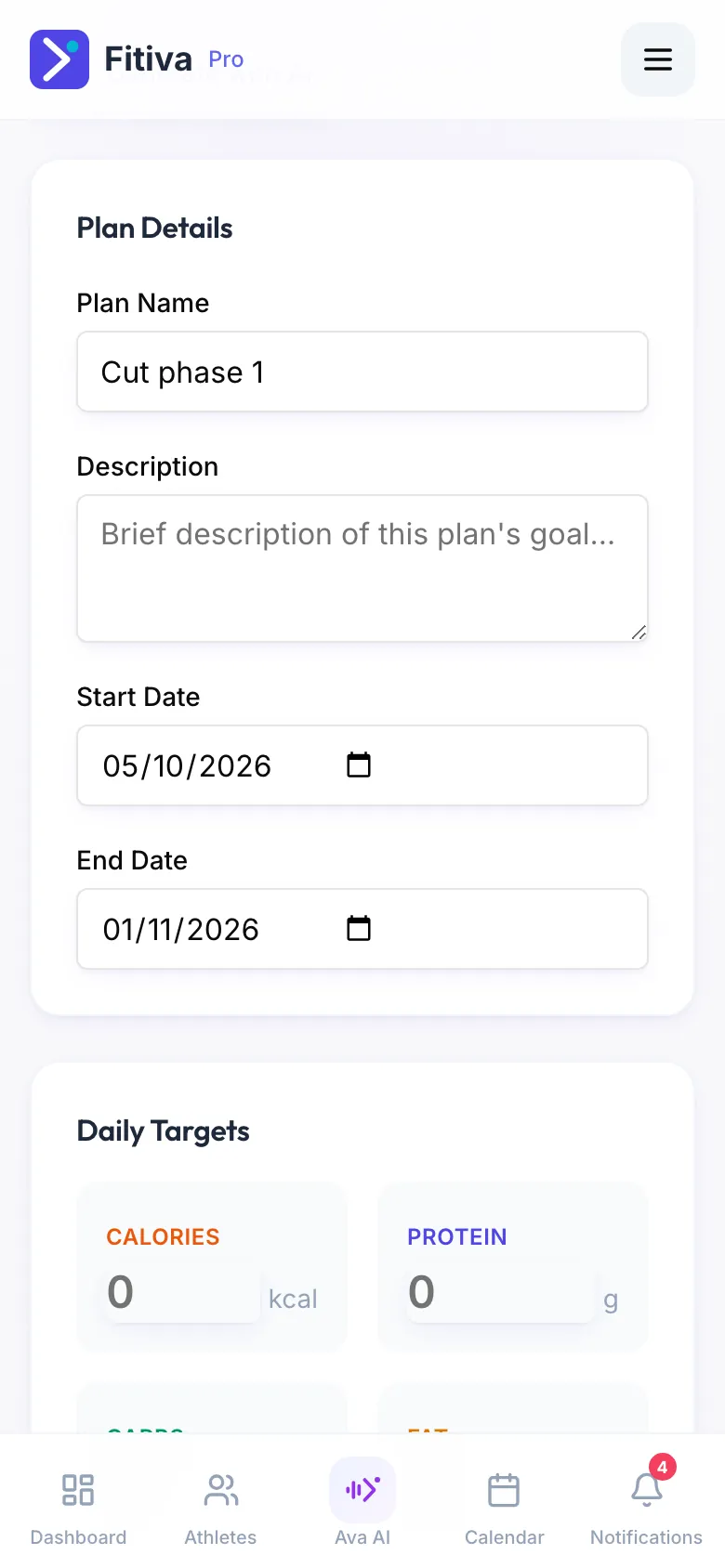
- Press Create Plan (or Edit Plan if there already is one). Create nutrition plan opens.
- Fill in the Plan Details (Plan Name, Start Date, End Date) and the Daily Targets:
- Daily calorie target
- Protein, carbs and fat in grams
- Under Meals & Recipes press Add Meal for each meal, with ingredients and preparation. Add Coach Notes if you like.
- Press Save Plan.
What the athlete sees
Their Nutrition page shows your targets and the meal options for each slot. They press Had this to log a meal, plan the week under Plan this week and open the Grocery list. While your plan runs, your targets take over from the goals they set themselves.
Good to know
- A plan needs a name and a daily calorie target before it saves.
- A nutrition plan is practical guidance, not medical advice. With a medical condition, a serious allergy or an eating disorder, the athlete should also talk to a doctor.
Looking for something else?