 Fitiva
How does the shopping list work?
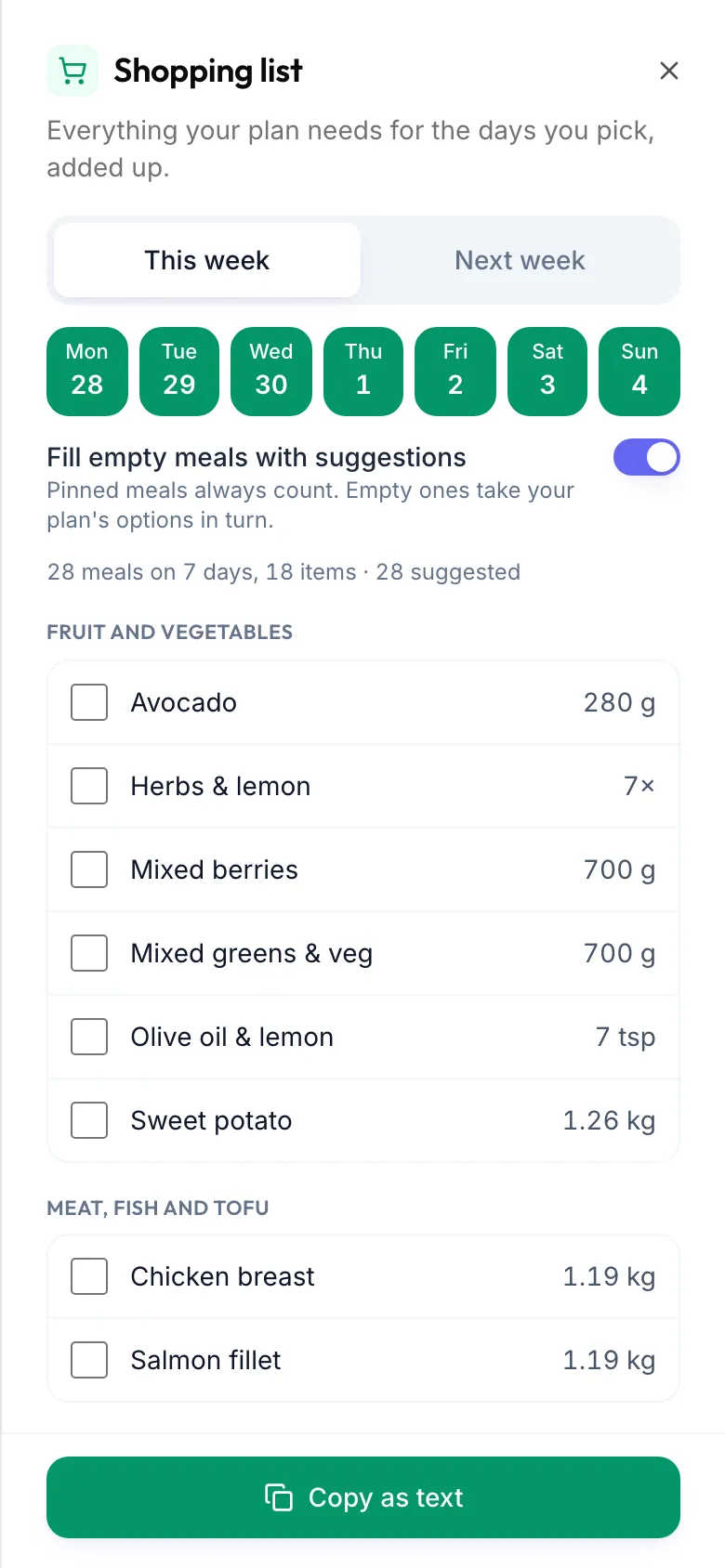
With a nutrition plan, tap Grocery list under This week: everything your plan needs for the days you pick, added up and sorted by aisle.
The shopping list adds up every ingredient your nutrition plan needs for the days you choose. It needs a nutrition plan with meals.
- Open Nutrition and tap This week.
- Tap Grocery list.
- Choose This week or Next week, or pick single Days.
- Pinned meals always count. Switch on Fill empty meals with suggestions to fill the rest with your plan's options in turn.
- The Shopping list is sorted by supermarket aisle: fruit and vegetables, meat, fish and tofu, dairy and eggs, bread, grains and pasta, and so on.
While you shop
- Tap an item to tick it off. Clear ticks starts again.
- Copy copies the list as text. On a phone, Share sends it to another app.
Good to know
- Your ticks are saved on this device only.
- No meals in your plan yet means your plan has no meal options so far. Ask your coach, or let the AI build a plan.
- Ask Ava "what do I need to buy this week?" and she reads the list out.
Looking for something else?