 Fitiva
How do I add foods from the food list?
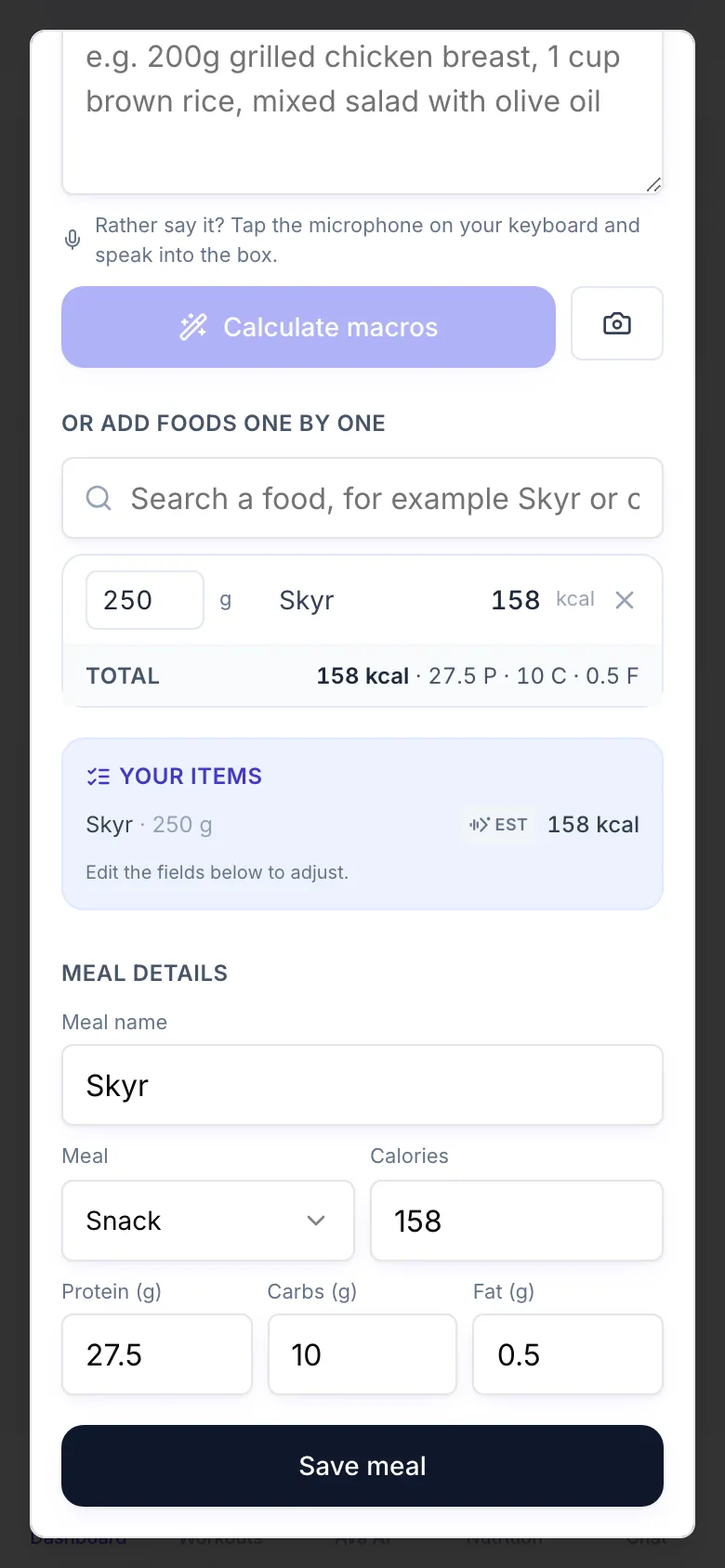
In Log a meal, search for a food under Or add foods one by one, set the amount and save, free and without using an AI scan.
The food list is the free way to log a meal exactly. It never uses an AI meal scan and has no limit.
- Tap Log a meal on your dashboard.
- Under Or add foods one by one, type a food or a brand, for example Skyr or chicken breast.
- Pick the right result. Each one shows its kcal per 100 g, or per piece.
- Set the Amount in grams, or in pieces (pc) for foods you count by the piece.
- Add more foods the same way. The Total and the fields under Meal details add up as you go.
- Tap Save meal.
Eat the same thing often? Above the search you see your last meals. Tap one to fill in its numbers, then save.
Nothing found? Try a shorter word or the brand name. The list uses Open Food Facts, with the numbers from real European labels, plus a table of everyday foods like apples, rice or chicken breast.
Good to know
- Added a food by mistake? Remove it from the list before you save.
- There is no barcode scanner. Search by name or brand instead.
Looking for something else?