 Fitiva
How do I delete my account?
In Settings, press Delete under Privacy & data and type DELETE; your account is gone at once and for good.
- Open Settings and scroll to Privacy & data.
- Under Danger zone, next to Delete my account, press Delete.
- Read the dialog, type DELETE into the field and press Delete my account.
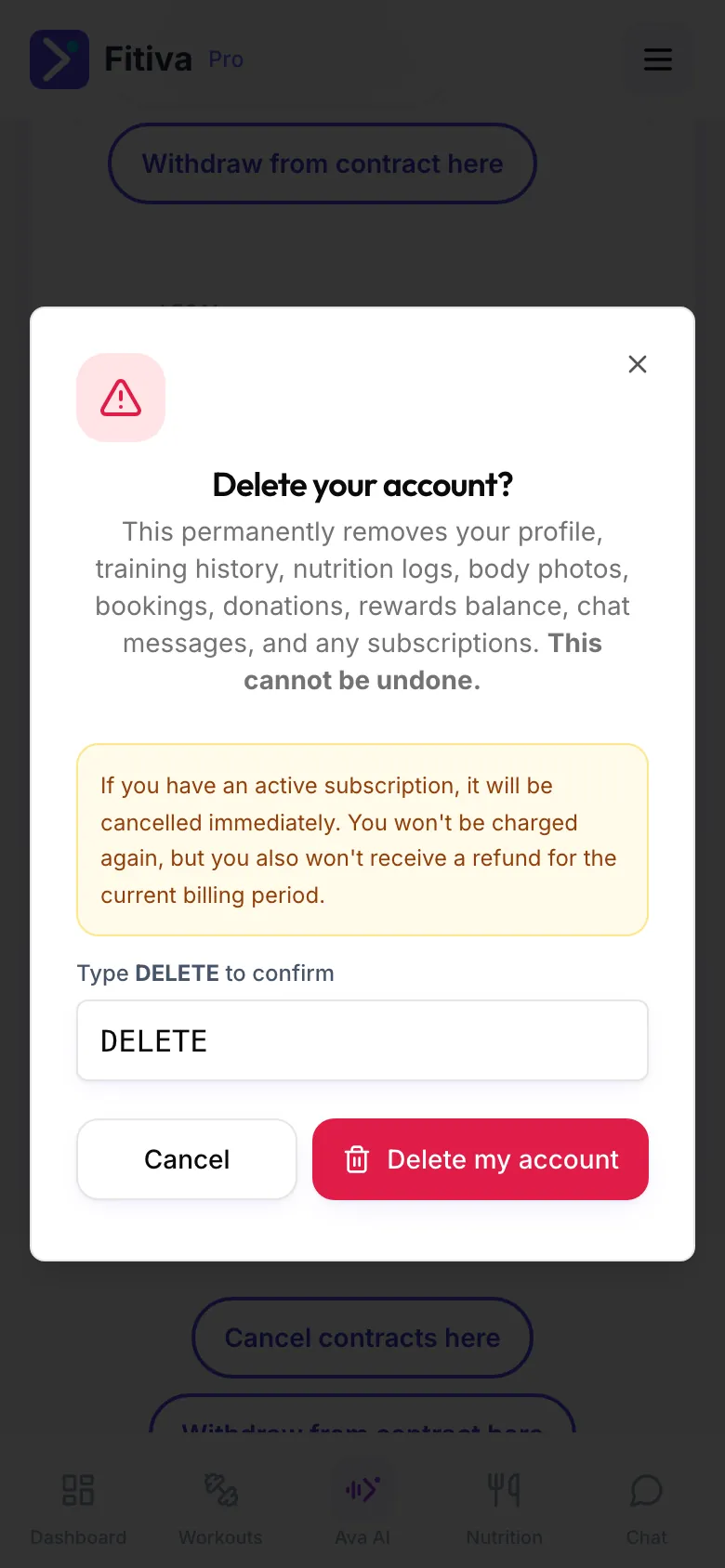
Your account is deleted right away. There is no waiting period, and it cannot be undone.
Subscriptions. An active subscription is cancelled immediately. You are not charged again, and there is no refund for the current billing period. To use the rest of a period you paid for, cancel first (see How do I cancel my subscription?) and delete your account later.
What is deleted: your profile, workouts, meals, photos, body progress, bookings, messages, points and all other personal data.
What stays
- Invoices and payment records, for as long as German tax and commercial law require, up to ten years.
- Messages you sent to someone else can stay in their copy of the conversation, like an email in someone's inbox.
- Rewards with a money value, limited to recipient, date, type and value.
- Cancellations and withdrawals you declared online, for the period the law requires.
- If you are a coach, your athletes keep what they logged themselves (workouts, meals, water, check-ins, body progress and records) in their own accounts. Your messages, plans and notes about them go with your account.
Want a copy first? Download your data before you delete (see Can I export my data?).
Cannot reach the screen? Write to hello@fitivapro.com from the email address of your account.
Looking for something else?