 Fitiva
How do I turn on two-factor authentication?
Settings, Account & security, Enable under Two factor authentication, then scan the QR code with an authenticator app.
- Open Settings and find Account & security.
- Under Two factor authentication, press Enable.
- Scan the QR code with an authenticator app such as Google Authenticator, 1Password or Authy. If you cannot scan it, use Or enter manually.
- Enter the 6-digit code from the app and press Verify & enable.
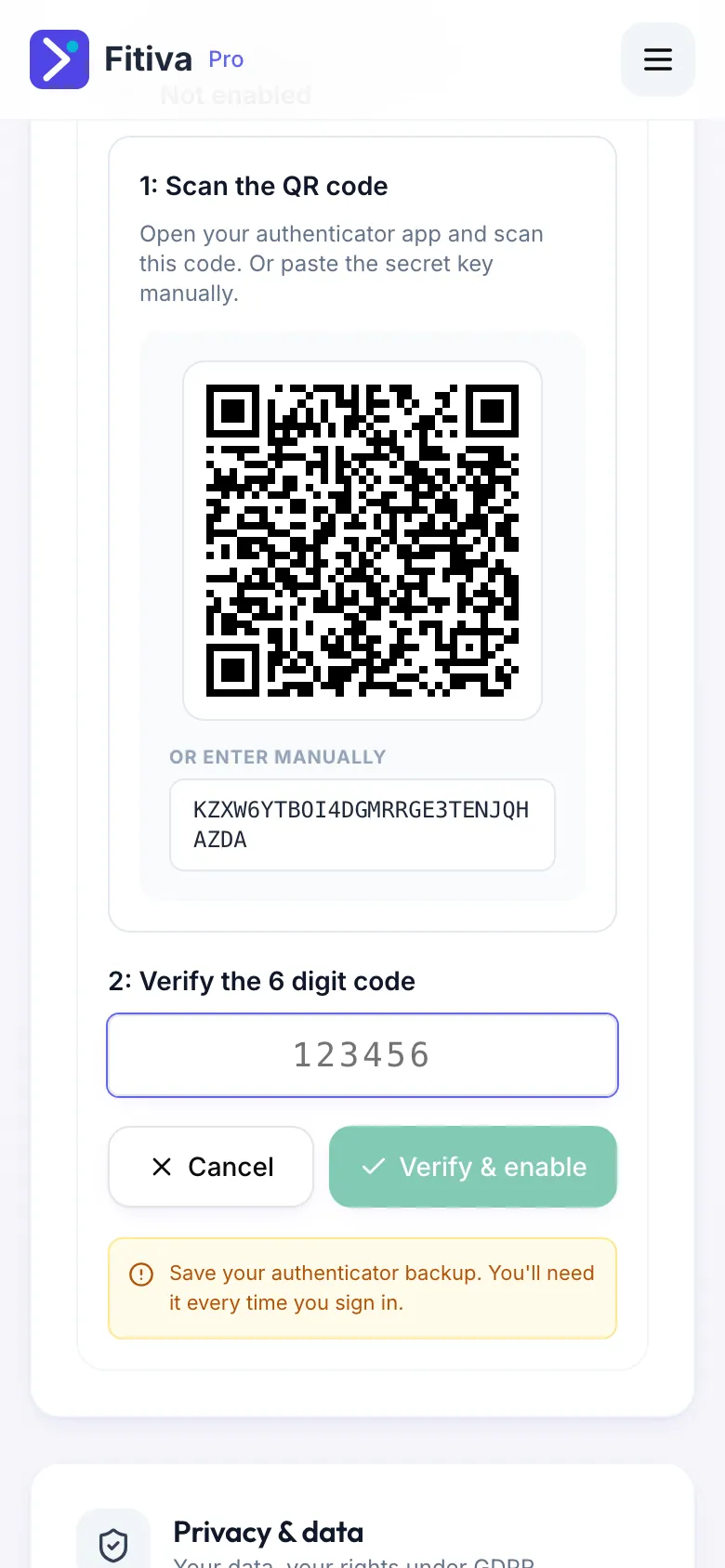
From now on Fitiva asks for a code at every sign-in. After your password you see Enter your code: open your authenticator app, type the six-digit code for Fitiva and press Continue.
There are no backup codes. Make sure your authenticator app backs up or syncs its codes, so a new phone still has them. If you lose them, see I lost the phone with my authenticator app.
Switch it off. In the same card, press Disable and confirm. After that you only need your password to sign in.
Code not accepted? Check that the time on your phone is set automatically, and use the newest code.
Looking for something else?