 Fitiva
How do I sell session packages?
Create a package under Session Packages in Financials, list it on your profile to sell it by card, or record a sale for one athlete who paid you directly.
A package is a bundle of prepaid sessions, for example 10 sessions for one price. Athletes then book against their credits.
Create a package
- Open Financials, find Session Packages and press New package.
- Fill in the Package name, a Description and the number of Sessions. Set a Duration (min) if it is for one length only; leave it empty and any booking length uses one credit.
- Set the Total price and Currency. The form shows the price per session.
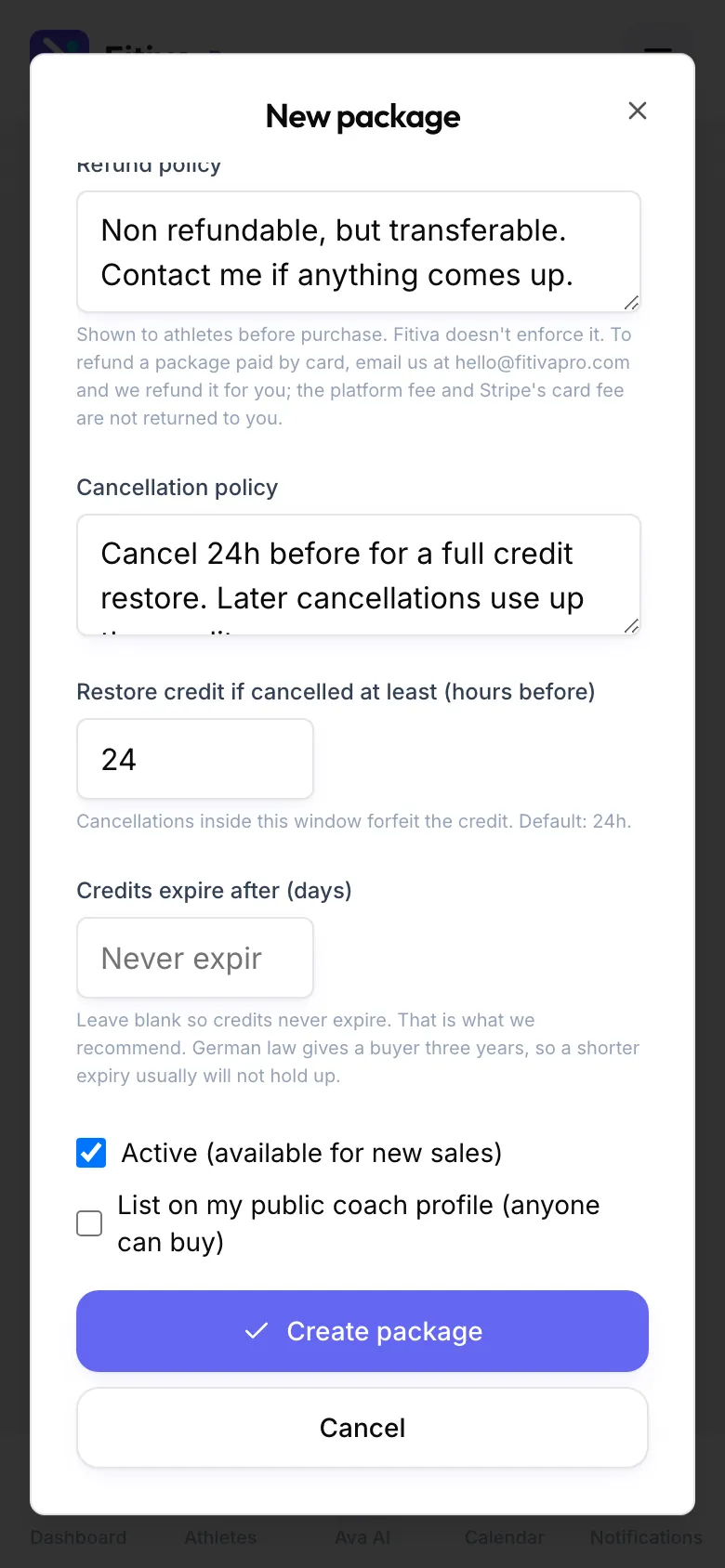
- Write your Refund policy and Cancellation policy. Athletes see both before they buy.
- Set Restore credit if cancelled at least (hours before). The default is 24 hours; a later cancellation uses up the credit.
- Leave Credits expire after (days) empty so credits never expire. The form recommends that and explains why.
- Keep Active (available for new sales) on, and switch on List on my public coach profile (anyone can buy) to sell it on your public page.
- Press Create package.
Each package then shows how many were Sold, how many are Active, the Revenue and what stayed with you (Net). Under the price you see about how much you keep per card sale. You can Edit, Pause or Unlist it any time.
Sell to one athlete directly
Open the athlete, go to Billing and press Sell a package. Pick a Preset package or make one Custom for this athlete, then press Record sale. This is for money you already received outside Fitiva, for example by bank transfer or in cash: the credits appear at once and no card is charged.
Good to know
- Card sales need Stripe connected, and only active packages listed on your profile can be bought by card.
- Fees on card sales: your plan's platform fee plus Stripe's card fee of 1.5% + €0.25.
- To refund a package paid by card, email hello@fitivapro.com and Fitiva refunds it for you. The platform fee and the card fee are not returned to you.
Looking for something else?