 Fitiva
Can I set up recurring billing for athletes?
Yes: Add Subscription in Financials creates a plan for an athlete, charged automatically through a Stripe subscribe link or kept manual.
Yes. Create the subscription in Financials and let Stripe charge it automatically, or keep it manual and collect the money yourself.
- Open Financials and press Add Subscription. New Subscription opens.
- Under Athlete pick an Existing athlete or add a New athlete with name and email.
- Under Plan enter a name (for example "Premium Coaching"), the amount and how often it is charged: / week, / month, / quarter or / year.
- Leave Send Stripe subscribe link switched on and press Generate Subscribe Link.
- Press Copy Stripe subscribe link, or email the link to the athlete from the same screen.
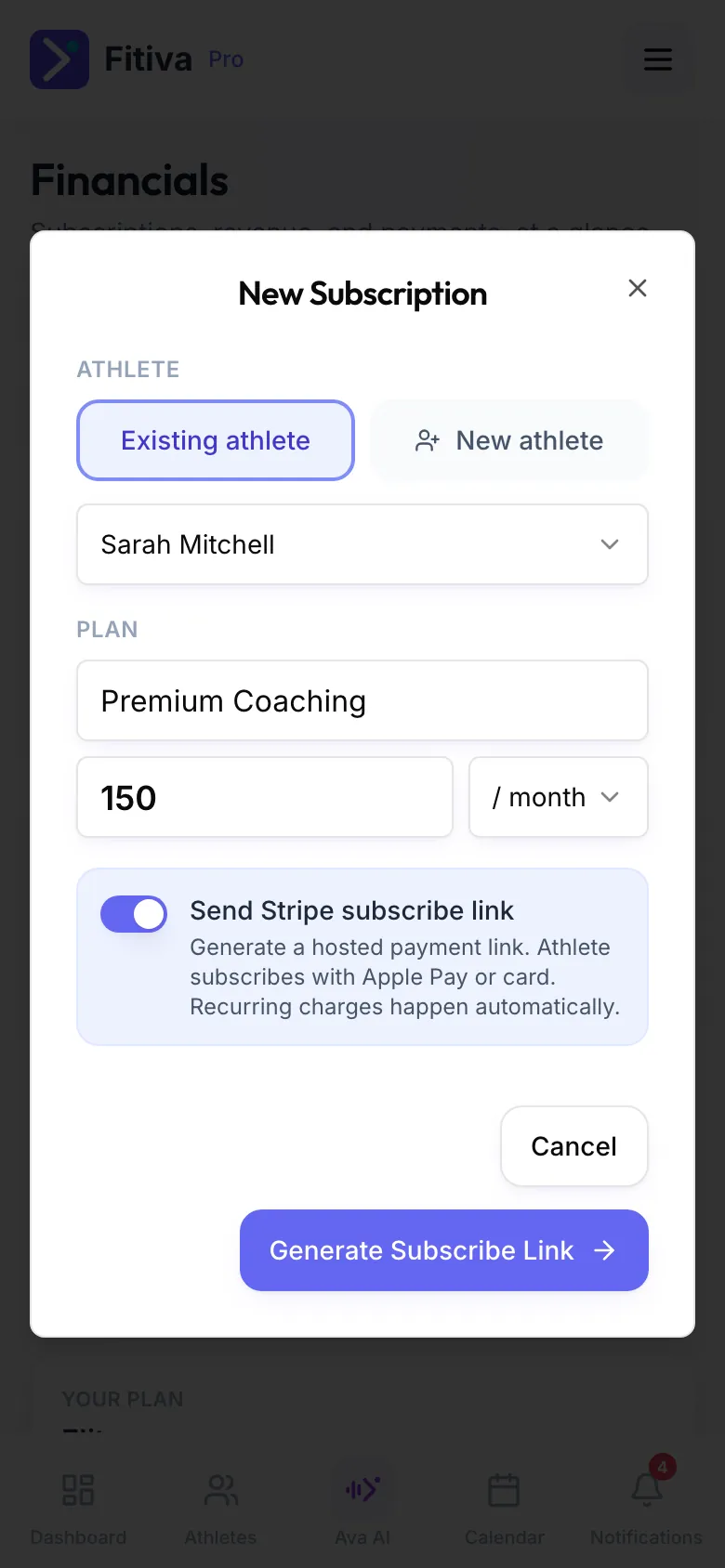
Prefer to collect the money yourself? Switch off Send Stripe subscribe link and press Create Subscription. That is a manual subscription without Stripe billing.
On an athlete's page, Billing → Set up subscription creates a subscribe link for that athlete directly.
What happens next
Nothing is charged until the athlete opens the link and subscribes with Apple Pay or a card. From then on Stripe handles renewals, failed cards and reminders. Financials shows your Athlete Subscriptions, your MRR and the Renewals · next 7 days.
The athlete manages or cancels the subscription in their settings under Manage subscription, or through Cancel contracts here at app.fitivapro.com/kuendigen.
Good to know
- A new athlete counts towards your plan's athlete limit.
- A subscribe link needs Stripe connected under Financials.
- Fees: your plan's platform fee plus Stripe's card fee. For subscriptions the fixed part of the card fee is converted into a percentage of the price.
Looking for something else?