 Fitiva
How do I track body progress?
On Body Progress, add a check-in with a photo, your weight or your body fat, and follow your trends over time.
Open Body Progress in the menu (coaches: My Body). Add a check-in with a photo, your weight or your body fat, and the page draws your trends.
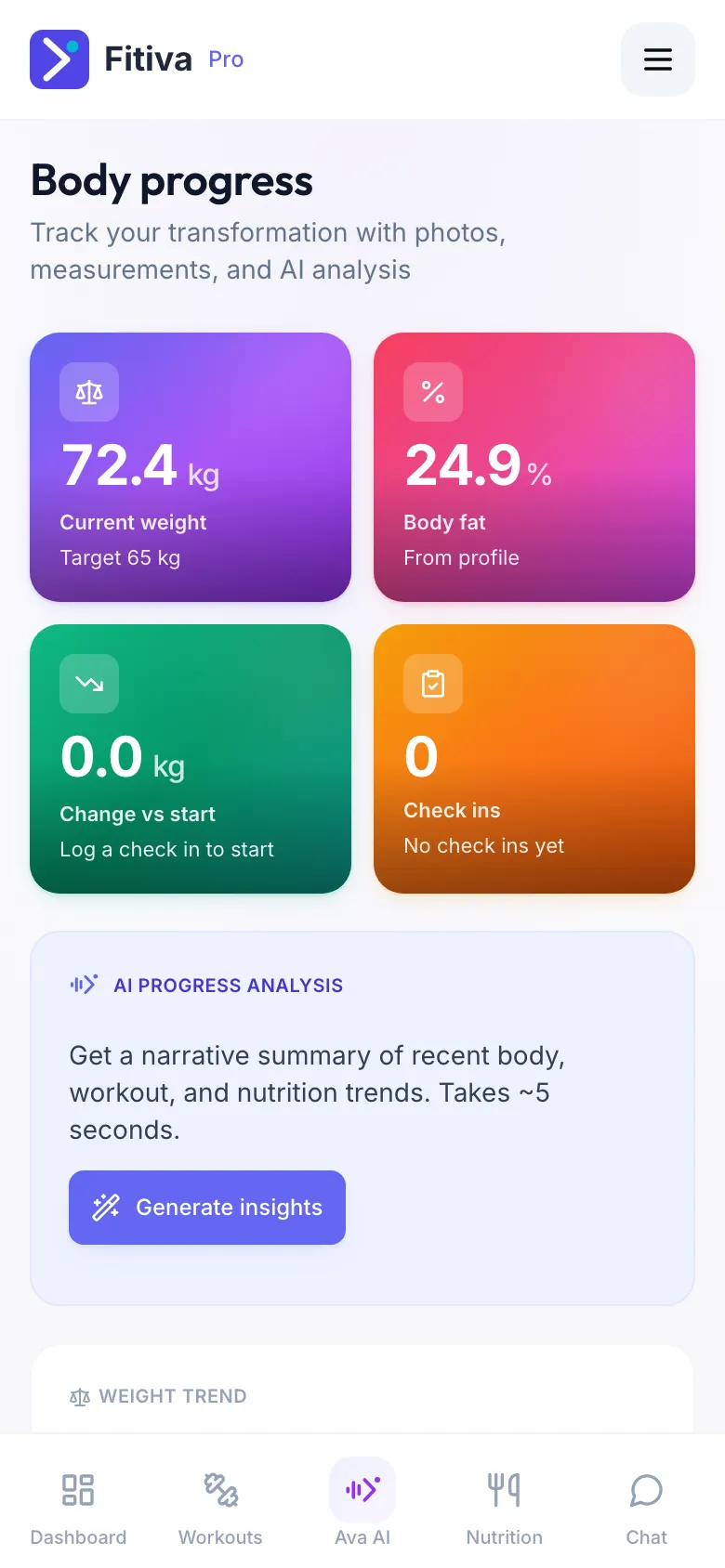
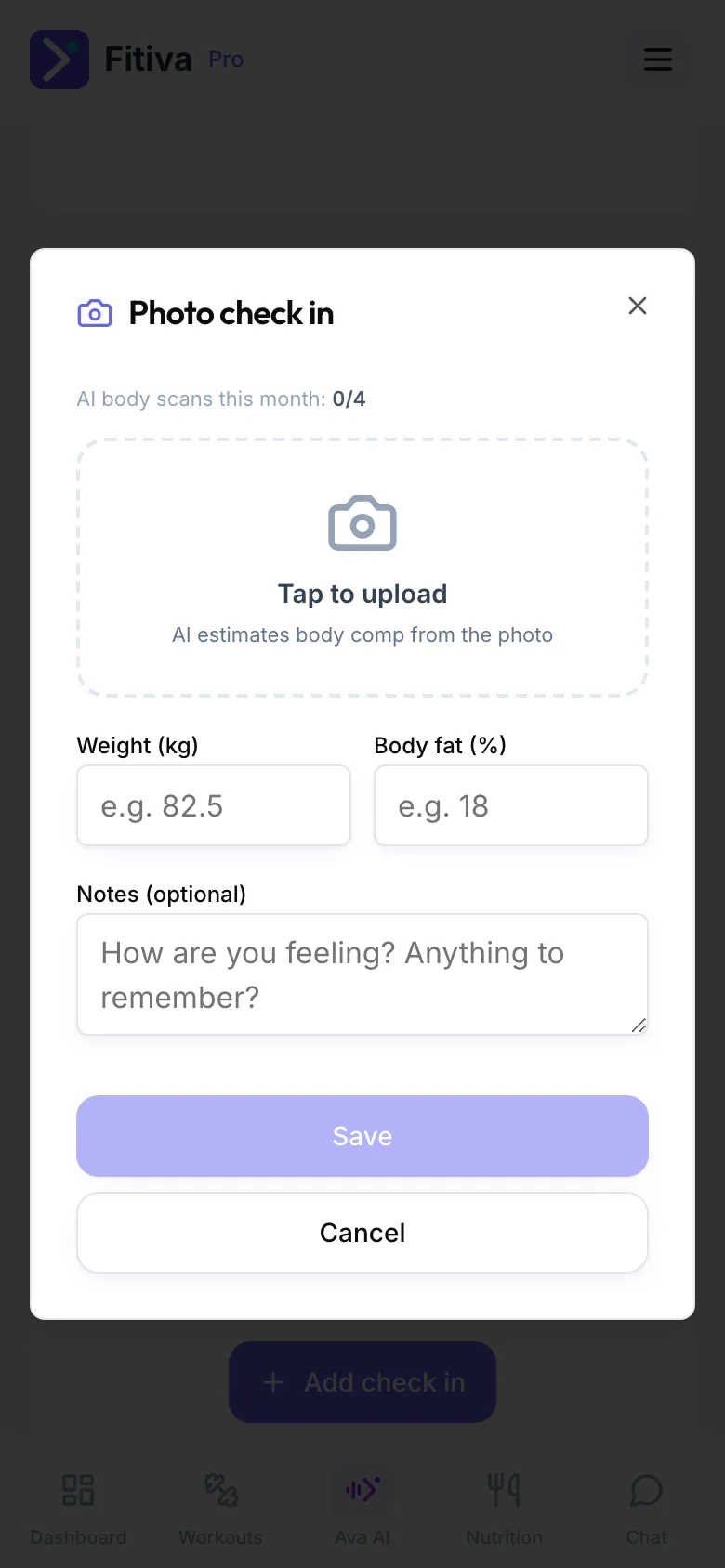
- Tap Add photo check in.
- Tap Tap to upload to add a progress photo. The photo is optional.
- Enter your Weight (kg) and, if you know it, your Body fat (%). Add Notes (optional) if you like.
- Tap Save. You need at least a photo, a weight or a body fat value.
The AI estimate (Premium)
With Premium, Fitiva estimates your body fat from the photo and shows it as AI estimate with a confidence level. It is not filled in for you: type it into Body fat (%) only if you want to keep it. You get 4 AI body scans a month, counted under AI body scans this month, and a daily limit applies. On the free plan your photo and numbers are saved as usual, without the estimate. Under 18 there is no estimate, because the figures are made for adult bodies.
What the page shows
- Current weight, Body fat, Change vs start and your number of Check-ins
- Weight trend and Body fat trend over time
- Recent check-ins with your photos
- Your Personal Records
- AI progress analysis: a short written summary of your trends (Premium)
Who sees it: you and your coaches. Photos are stored privately and never get a public address.
Good to know
- Your coach can add an in-person weigh-in or body fat reading. It shows as Coach measurement.
- To remove an entry, tap Remove check-in on it. You can only remove entries you logged yourself.
- Every check-in earns 30 points and moves weight and body fat goals.
- Ava can log your weight from the chat, for example "I weighed 82.4 kg this morning".
Looking for something else?