 Fitiva
What are challenges?
Competitions with a leaderboard and an end date: your coach's challenges and ones open to every athlete, with reward points for the winner.
Challenges are competitions with a leaderboard and a fixed window. Open Challenges in the menu to see them, sorted into Active, Upcoming and Completed.
Which challenges you see
- Challenges marked Open to all are for every athlete, with or without a coach.
- If you have a coach, you also see your coach's challenges.
How to join
- Open Challenges and tap a challenge.
- Tap Join challenge.
- Train and log as usual. Your score updates on the Leaderboard, where you also see Your rank.
You can step out any time with Leave challenge.
What is measured: every challenge counts one thing: most workouts logged, most sessions attended, most daily check-ins, most points earned, most km run, most km cycled, most elevation climbed or most active minutes. Distance and elevation come from the workouts you log.
The prize: the night after a challenge ends, the winner gets its reward points. If several people share first place, each of them gets the full prize. Prize points count towards your monthly earning cap.
For coaches
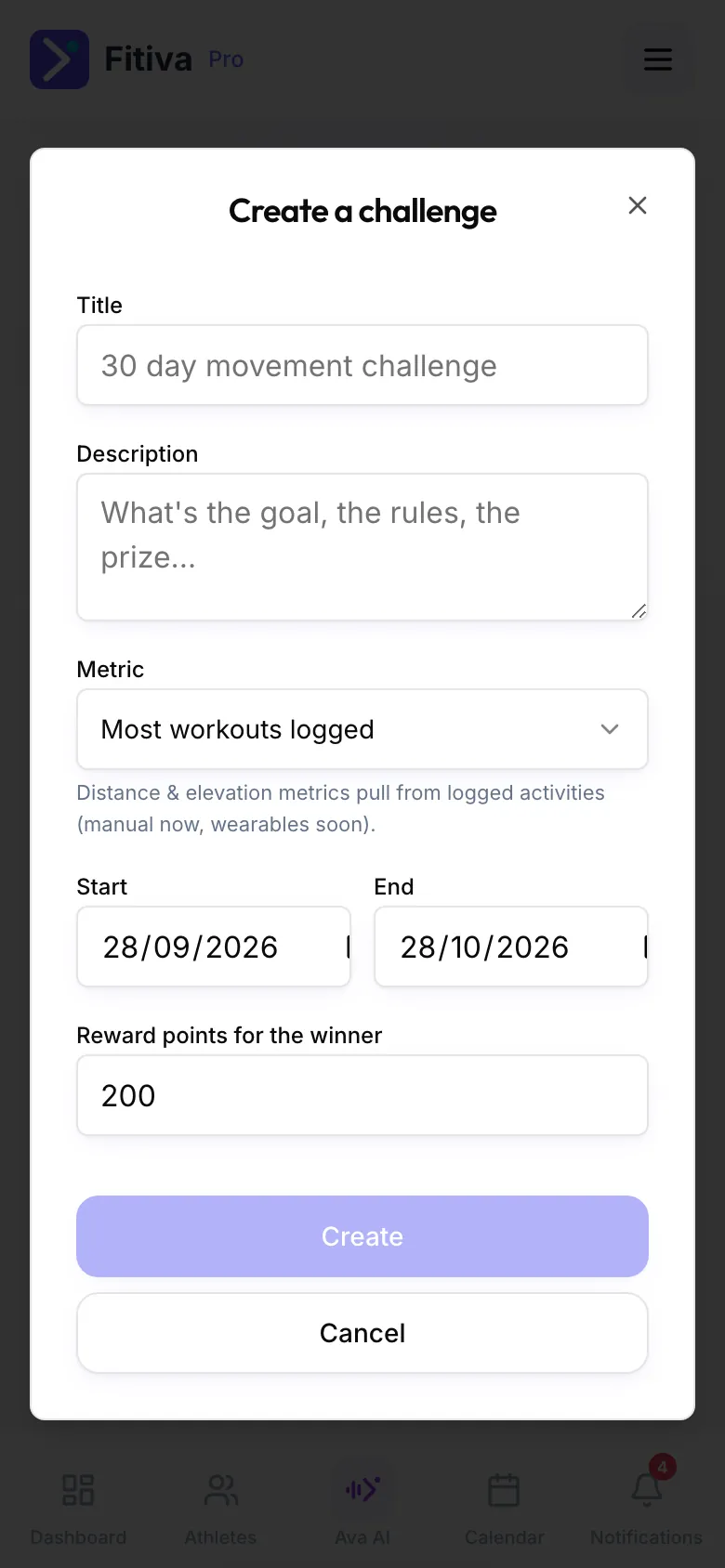
- Open Challenges and tap Create challenge.
- Enter a Title and a Description, pick the Metric, set Start and End, and choose the Reward points for the winner.
- Tap Create. Your athletes see the challenge on their Challenges page.
Good to know: Ava can tell you how you are doing in a challenge and which ones are open. Joining is a tap on the Challenges page.
Looking for something else?