 Fitiva
How do I build my own training plan?
On Workouts, tap Build a routine to let the AI write one for free or to build it yourself, while a programme over several weeks is part of Premium.
You can build a routine yourself, let the AI write one, or get a whole programme over several weeks.
On the Workouts page you find Build a routine. Without a routine yet, you also see Log a workout there.
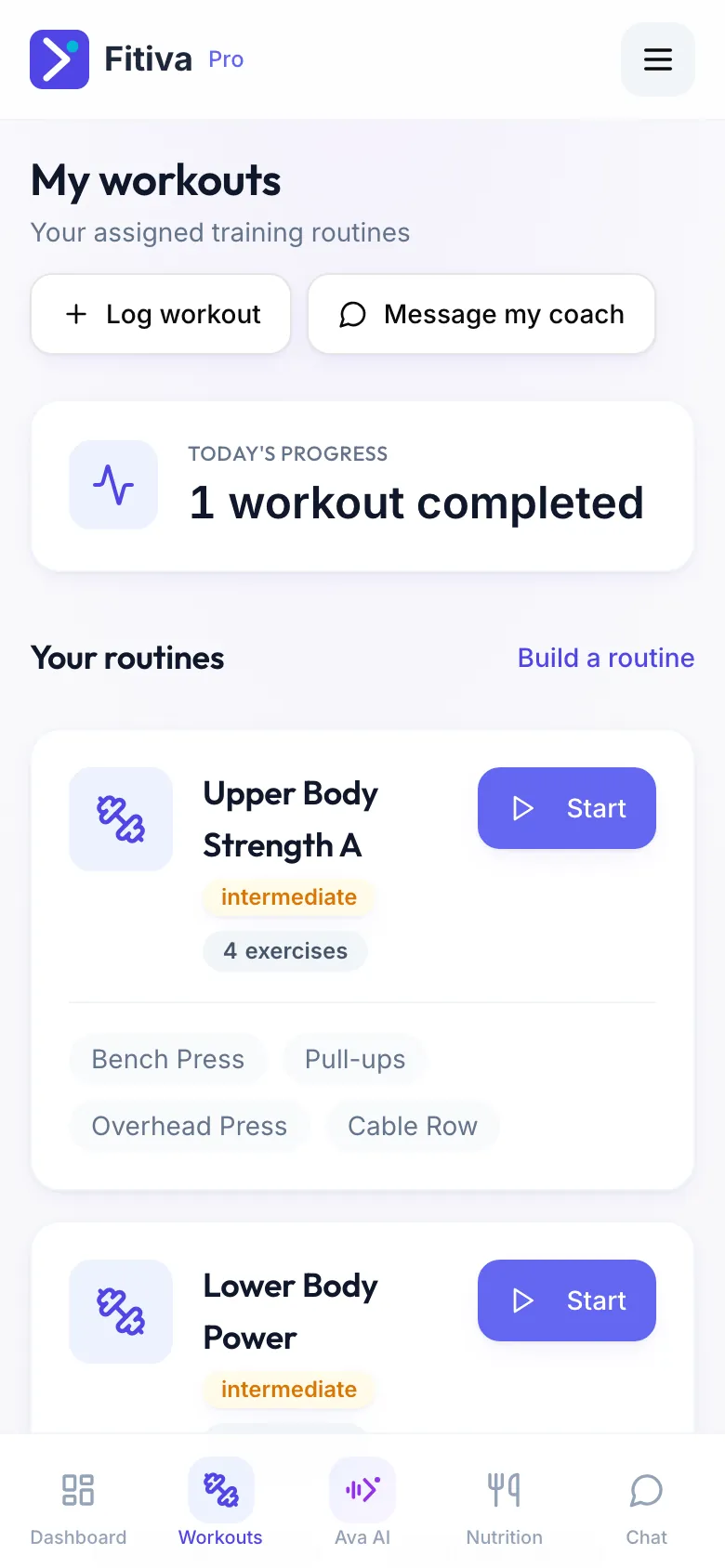
One routine
- Tap Build a routine.
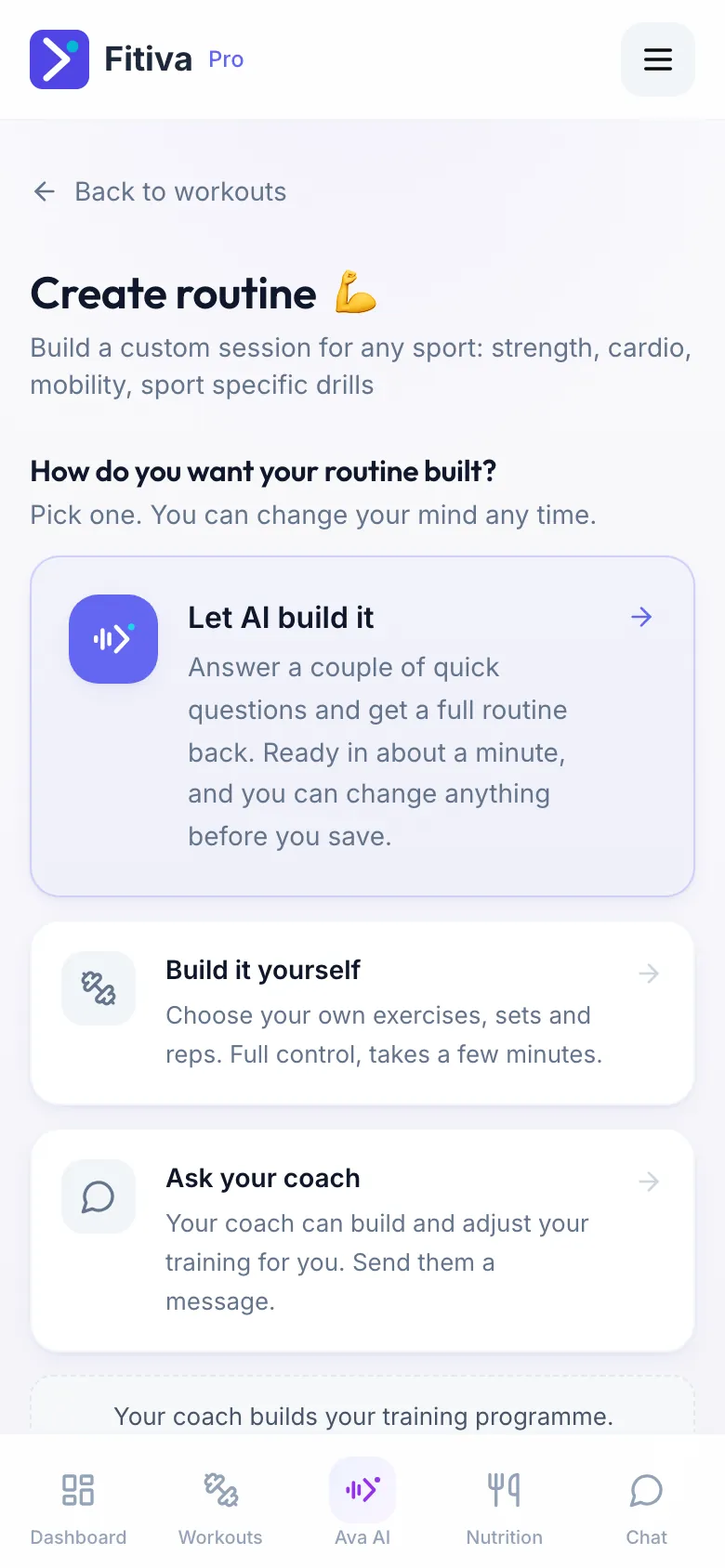
- Choose how you want it built:
- Let AI build it: answer a few questions (your sport, your goal, where you are now, how much time you have, what you can use and anything that hurts), then tap Write my routine. Free for everyone, within the daily AI limit.
- Build it yourself: add your exercises with sets, reps, weight and rest.
- Check the routine and change anything you like. Nothing is saved before you do.
- Tap Create Routine.
Your routine then appears under Your routines. Tap Start to train it with the guided workout.
A programme over several weeks (Premium)
Want weeks of sessions scheduled for you instead of one routine? On the Build a routine screen, tap Want a whole training programme instead of one routine?. Without a coach you also find Assign myself a plan on Today's workout on your dashboard. It is part of Premium, one a month.
Have a coach? Your coach builds your training programme; message them in the chat if you would like a new one. You can still build your own routines.
Good to know
- Delete a routine with the bin icon (Delete routine). Workouts you already logged from it are kept.
- Workouts you planned yourself can be moved to another day.
Looking for something else?