 Fitiva
Can I use Fitiva on my phone?
Yes: Fitiva runs in your phone's browser at app.fitivapro.com, and on your home screen it opens like an app.
Yes. Fitiva works in the browser on your phone, tablet and computer, at app.fitivapro.com. On a phone you get the same features, with a bar at the bottom for the pages you use most.
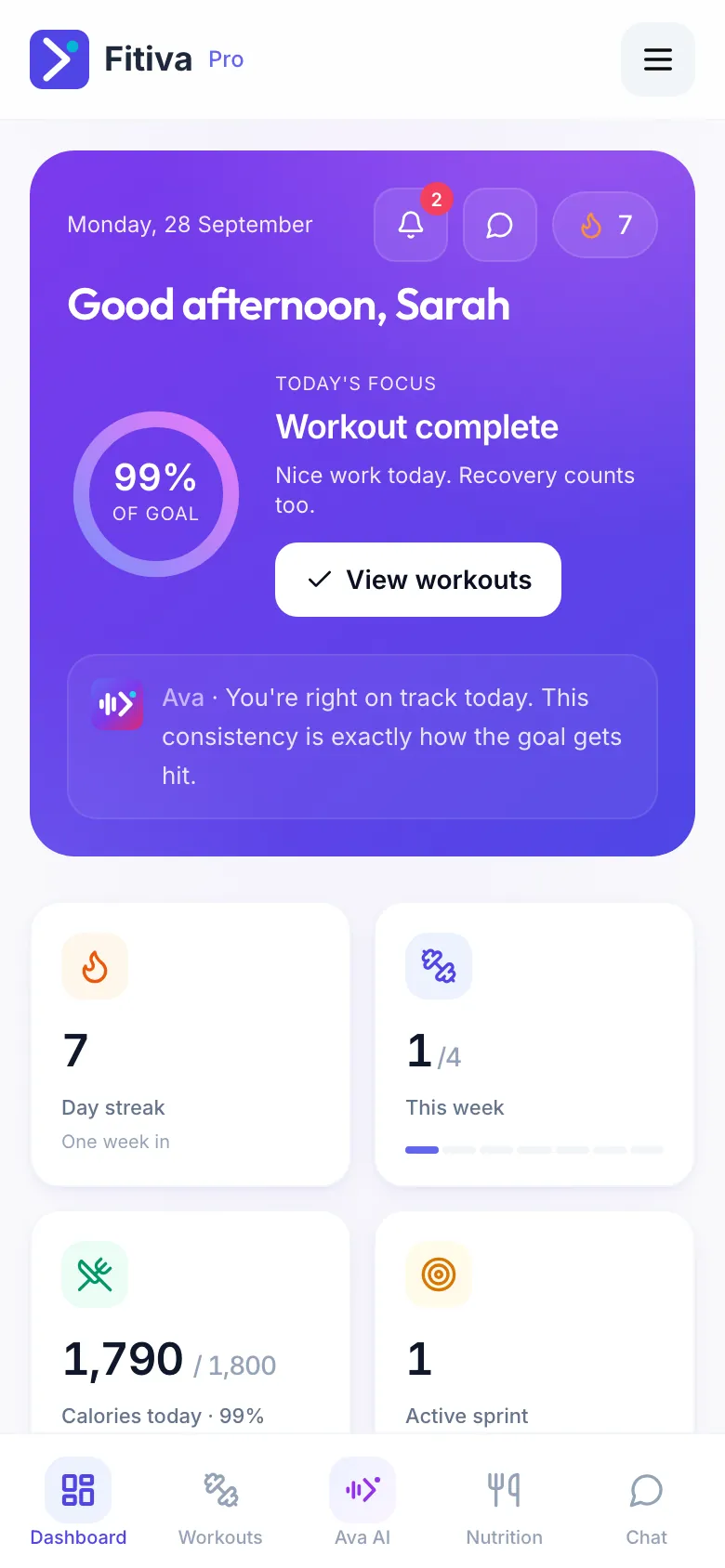
Add it to your home screen, so it opens full screen with its own icon.
On an iPhone (Safari)
- Open app.fitivapro.com in Safari.
- Tap the share button, the square with the arrow.
- Choose Add to Home Screen and confirm.
On Android (Chrome)
- Open app.fitivapro.com in Chrome.
- Tap the menu with the three dots.
- Choose Install app or Add to Home screen.
Then open Fitiva from the new icon. On an iPhone you may need to sign in once more there.
Why it is worth it
- On an iPhone, push notifications only work from the home screen icon, with iOS 16.4 or newer (see My notifications are not arriving).
- It opens faster, and without a connection it still opens instead of showing a browser error. Your data does need a connection (see Does Fitiva work without a connection?).
Looking for something else?