 Fitiva
How do I create an account?
Sign up with your name, email and a password, pick athlete or coach, confirm the email we send, then finish a short setup.
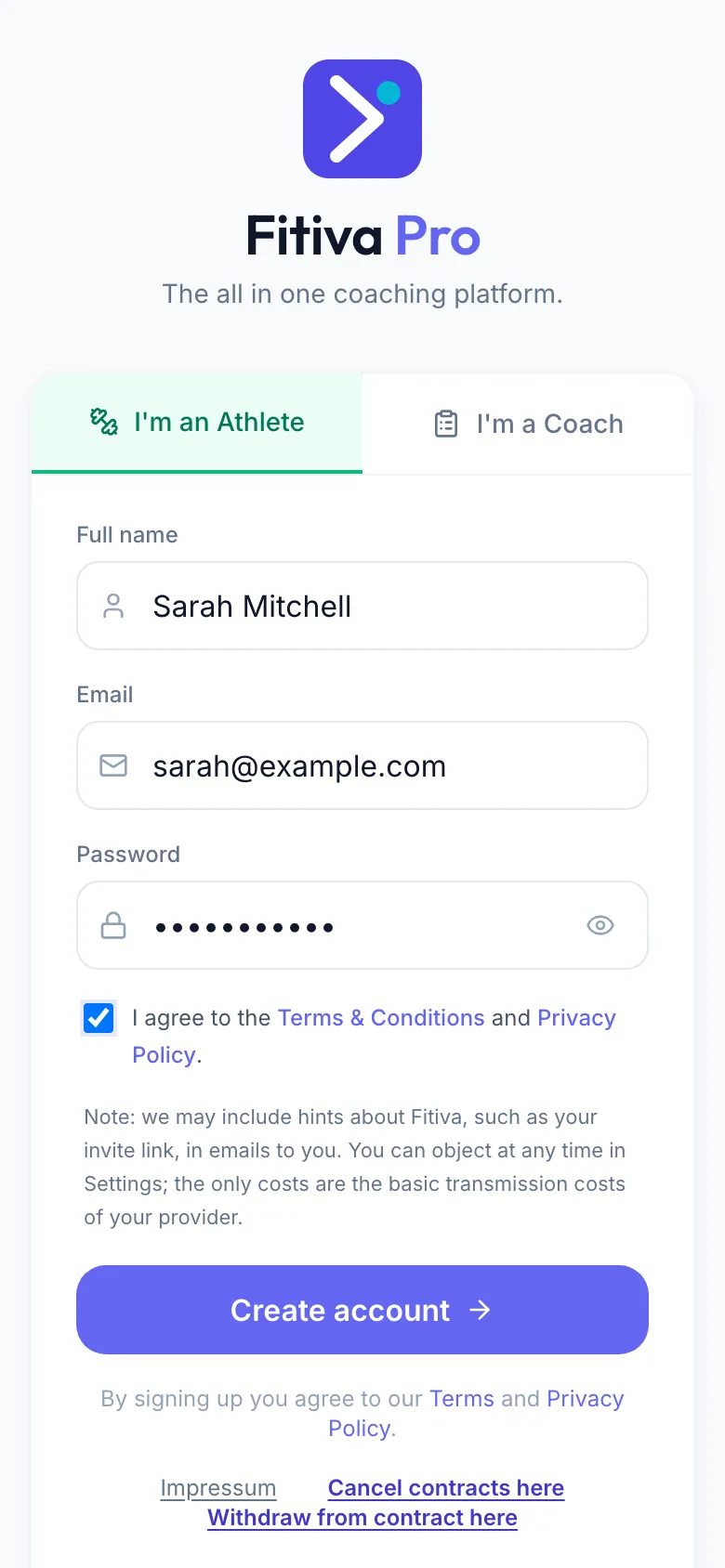
- Go to app.fitivapro.com and press Sign up under the sign-in form.
- Choose I'm an Athlete or I'm a Coach.
- Enter your Full name, your Email and a Password with at least 8 characters.
- Tick I agree to the Terms & Conditions and Privacy Policy.
- Press Create account.
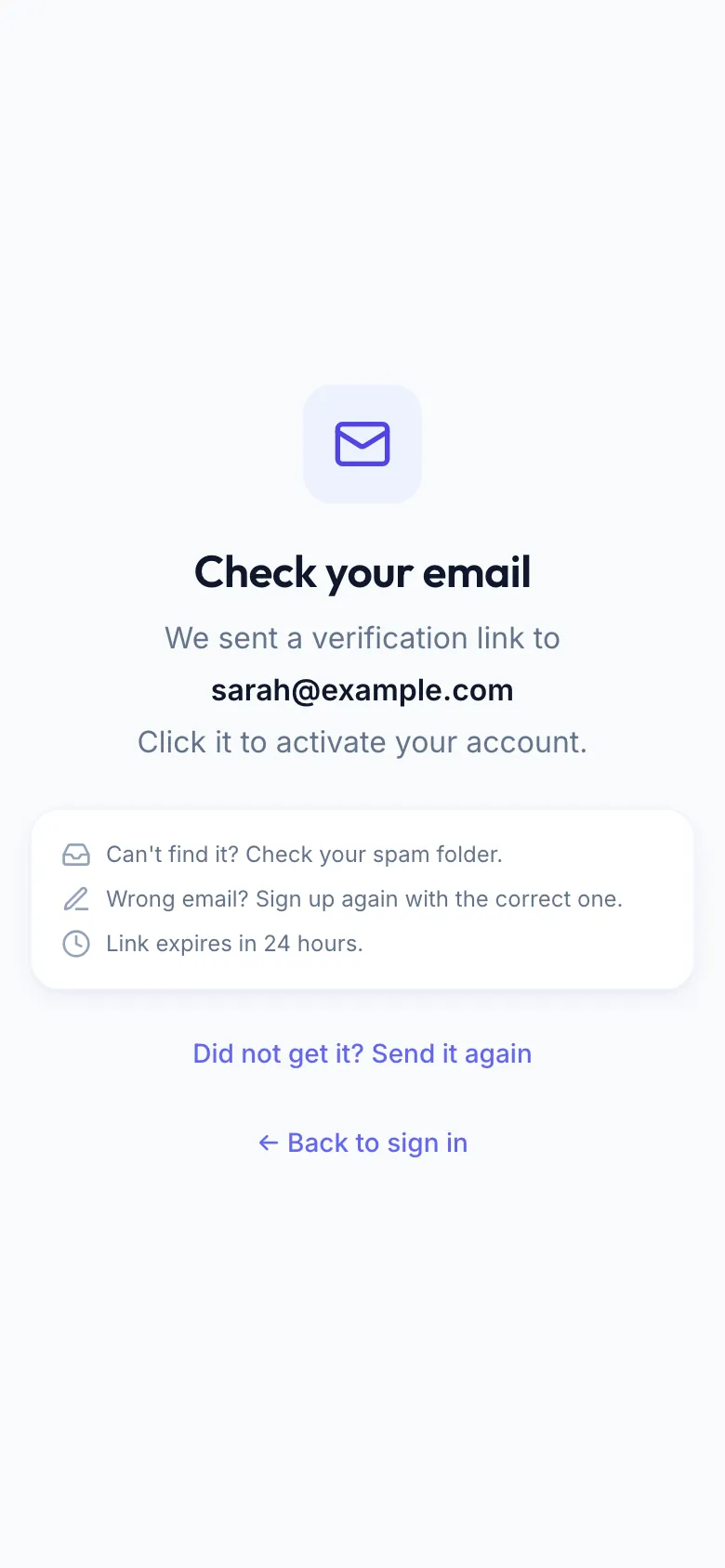
Confirm your email. Next you see Check your email. Open the link we sent you; it is valid for 24 hours. Nothing there? See I did not get the confirmation email.
Finish the setup. Sign in, then:
- Athletes fill in one short screen: your name, your date of birth and, if you like, a few body details and your goal.
- Coaches go through three steps: basic info with your country, your experience, and your handle, which becomes your public link.
Then you pick a plan. Start free keeps you on Free, no card needed.
Invited by a coach? Open the invite link. It fills in your email, and once you have confirmed it, your coach is linked to your account automatically. You can also use another email address.
Good to know
- You must be at least 16.
- Coaches can sign up in Germany, Austria and Switzerland. Athletes from most countries; new accounts in the United Kingdom are not open yet.
- One person, one account.
- Already have an account with that email? Fitiva tells you and sends you to sign in instead.
Looking for something else?