 Fitiva
Which emails and reminders do I get, and how do I change them?
Settings holds your email choices and, for athletes, reminders and quiet hours, while push is switched on on the Notifications page.
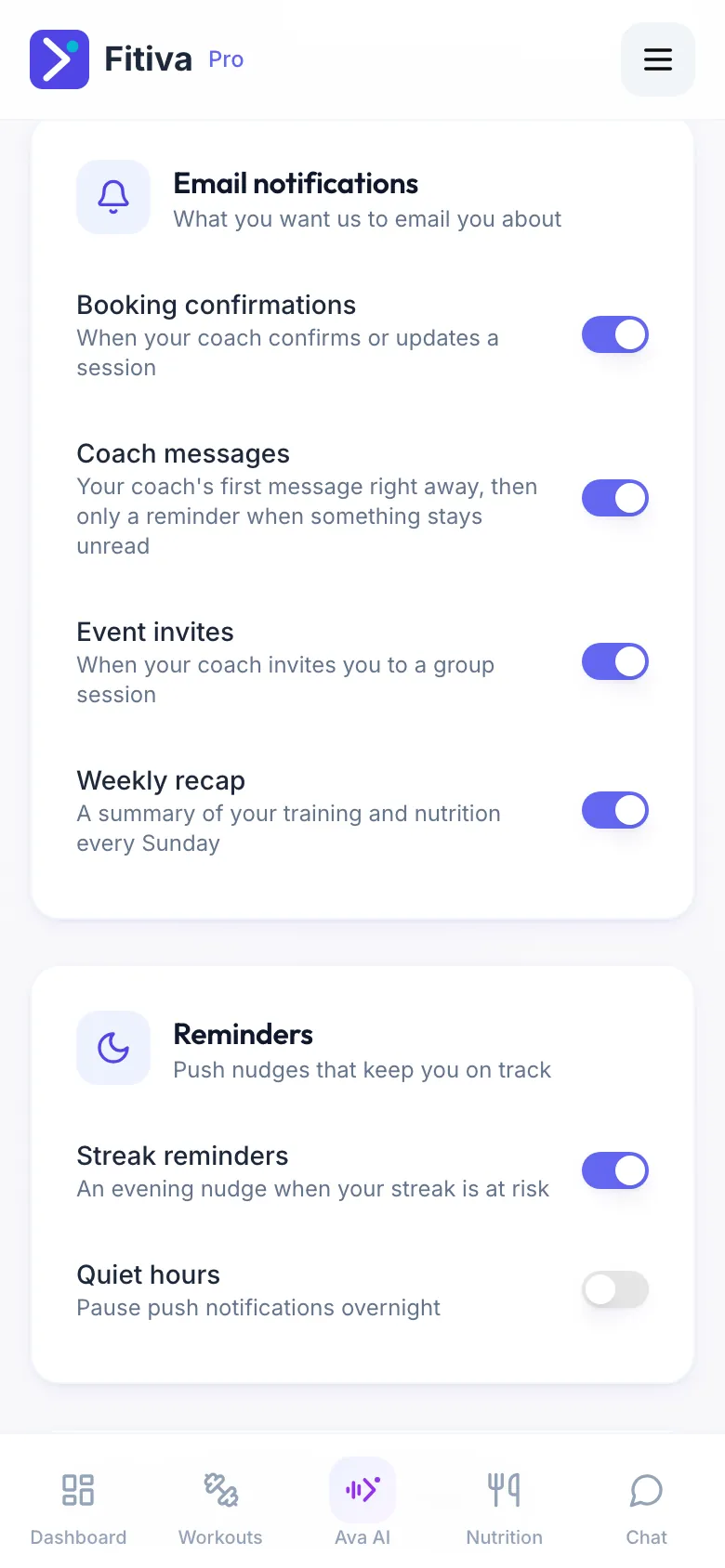
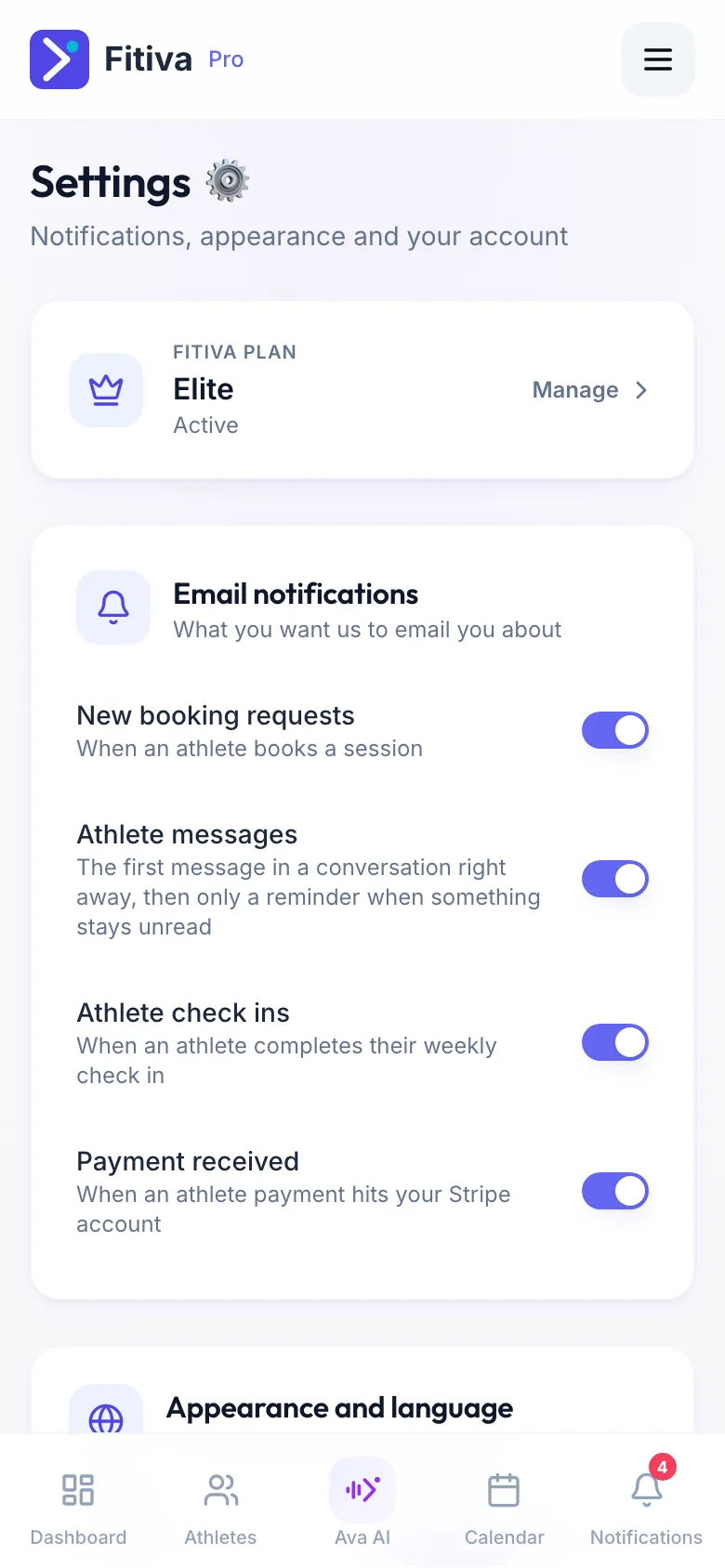
Emails: open Settings, Email notifications, and switch each one on or off.
Athletes
- Booking confirmations: when your coach confirms or updates a session
- Coach messages: your coach's first message right away, then only a reminder when something stays unread
- Event invites: when your coach invites you to a group session
- Weekly recap: a summary of your training and nutrition every Sunday
Coaches
- New booking requests: when an athlete books a session
- Athlete messages: the first message in a conversation right away, then only a reminder when something stays unread
- Athlete check-ins: when an athlete completes their weekly check-in
- Payment received: when an athlete payment reaches your Stripe account
Reminders (athletes): Settings, Reminders.
- Streak reminders: an evening nudge when your streak is at risk
- Quiet hours: pauses push notifications overnight, between From and to
Important notices, such as a cancelled session and its refund, still come through.
Water reminders: tap Water in Your day and switch on Remind me to drink. They only come while you are short of your goal and have not just had a drink, and your quiet hours still apply.
Session and event reminders: athletes get a reminder about a booked session and an event they joined about 24 hours before.
Push on your phone is switched on per device on the Notifications page, not in Settings (see My notifications are not arriving).
Looking for something else?