 Fitiva
What is the difference between Notifications and Chat?
Chat is your conversation with your coach; Notifications opens your Inbox with everything the app and your coach send you.
Chat is your conversation with your coach: what the two of you write to each other.
Notifications opens your Inbox: everything the app and your coach send you, such as bookings and reminders, cancellations and refunds, payment requests, a heads-up when your coach writes in chat or posts an update, milestones and your weekly recap. The Inbox tells you that something happened; the conversation itself stays in Chat.
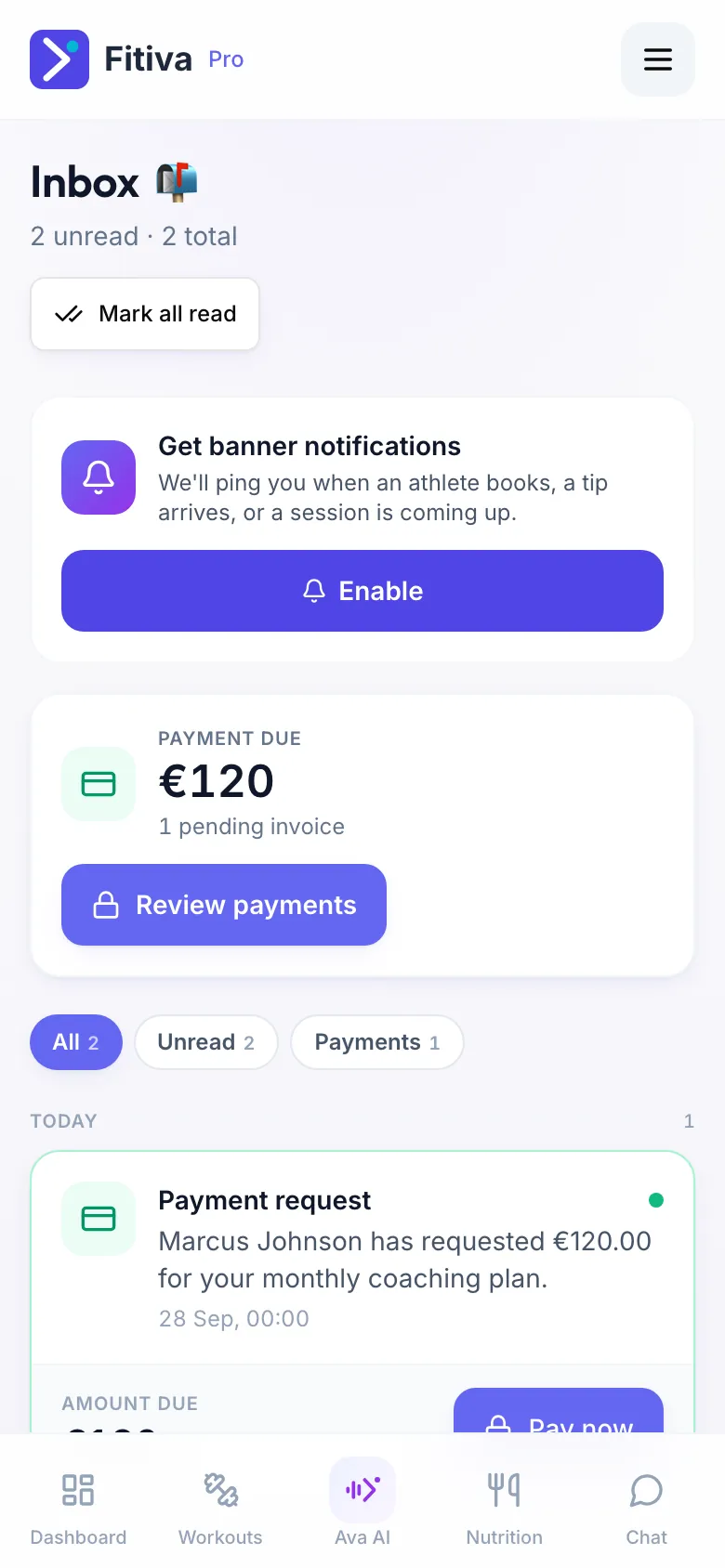
In the Inbox
- Filter with All, Unread, Payments, Messages and Milestones. A filter only shows when it has something in it.
- Mark all read clears the unread count.
- Money your coach asked for shows under Payment due. How to pay it: see My coach sent me a payment request. How do I pay it?
- Tap a notification to jump to where it belongs, for example your session.
- You can switch on push notifications on this page.
Posts your coach writes for all their athletes show on your dashboard. The Inbox tells you when a new one arrives.
Not sure where something was? Ask Ava "did my coach send me anything?". She checks both your chat and your Inbox.
Looking for something else?