 Fitiva
How do I block or report someone?
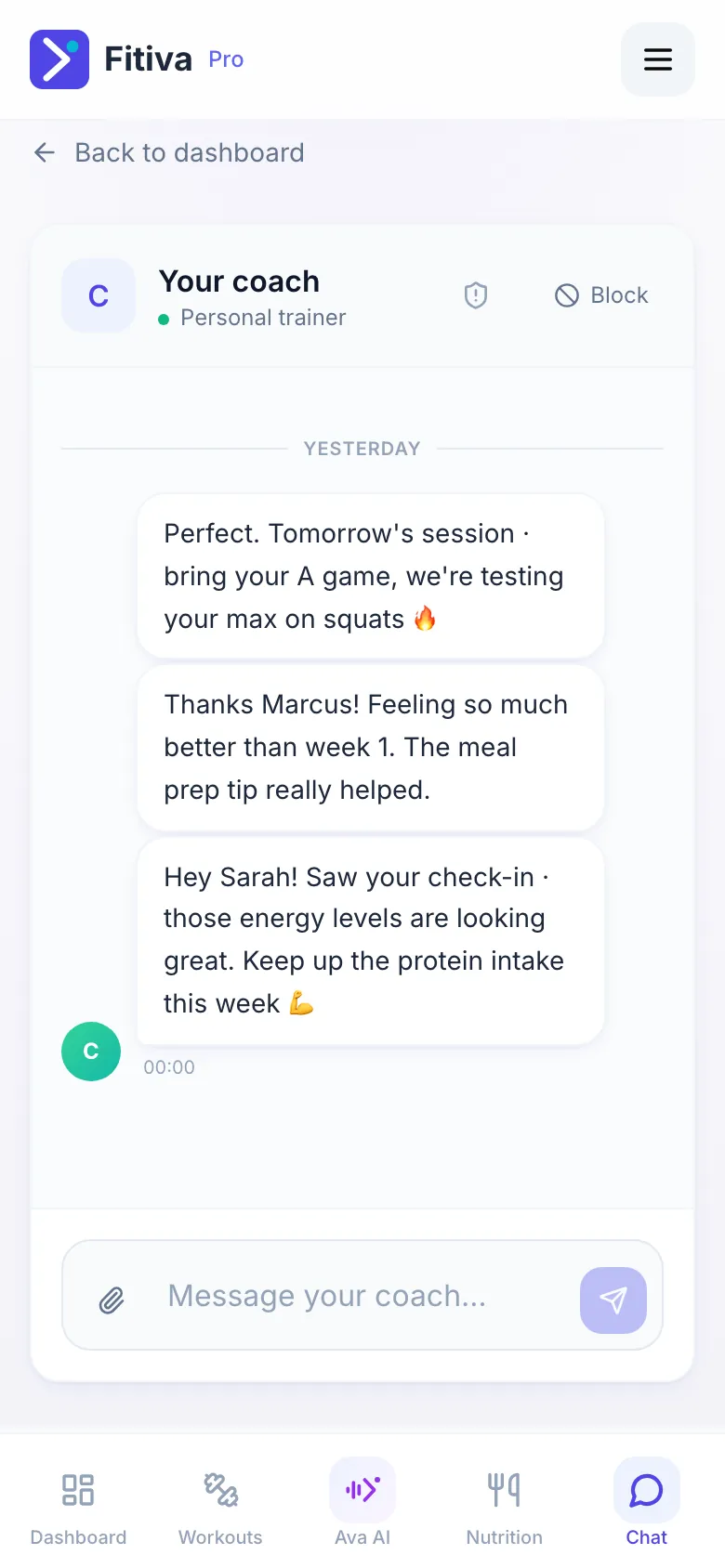
Block stops messages in both directions, and the shield icon sends a private report; both sit next to the chat.
Athletes find both at the top of Chat. Coaches find Block above the conversation in an athlete's Chat tab, and the shield icon on the athlete's row in Chats.
Block
- Tap Block.
- Confirm with Block.
Neither of you can send messages any more. Your conversation stays visible to you and nothing is deleted. To undo it, tap Unblock in the same place.
Report
- Tap the shield icon: Report this coach, or as a coach Report this athlete. On a computer, coaches see the icon when they point at the athlete's row.
- Choose a Reason: Harassment or bullying, Inappropriate or offensive behavior, Spam or scam, Safety concern, Payment or fraud issue, or Something else.
- Add Details if you like, and tap Send report.
Reports are private and reviewed by Fitiva's safety team. The person you report is not told who reported them. There is a daily limit on reports.
Other things you can report
- A review on a coach's profile: Report under the review.
- A course: Report this course on the course page.
- An event: Report this event on the event page.
In danger? Call the emergency number 112 first, then report it here.
Looking for something else?