 Fitiva
How do I suggest a run club or class that is not on Fitiva?
On Events, tap Suggest a club, fill in the name, place and a contact, and the Fitiva team reviews it.
Know a run club, yoga class or bootcamp that is not on Fitiva yet? Tell us about it.
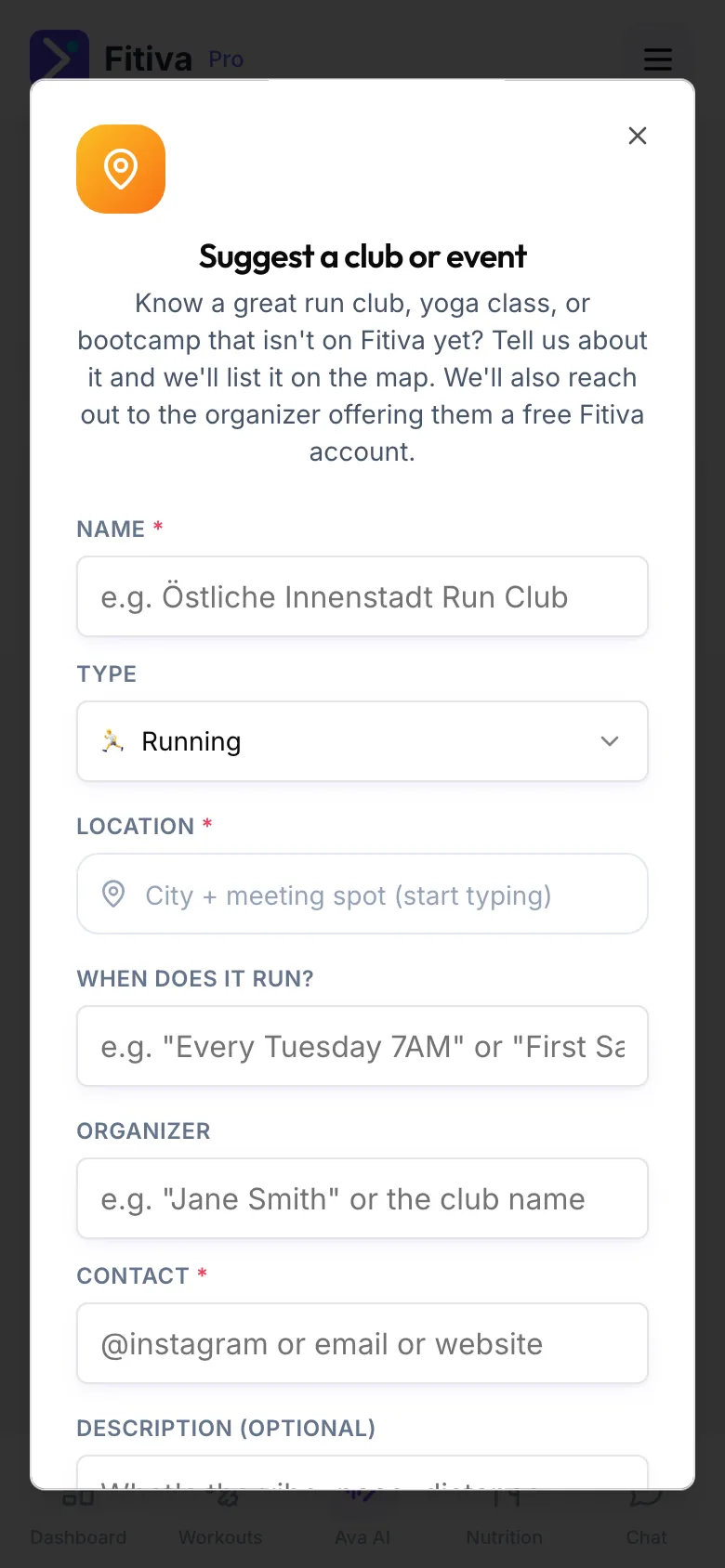
- Open Events and tap Suggest a club. You need a free Fitiva account.
- Fill in Name, Location and Contact, for example the club's Instagram, email or website. These three are required.
- Pick the Type (the sport), and add When does it run?, Organizer and a Description (optional) if you know them.
- Tap Submit.
What happens next
The Fitiva team reads every suggestion. Nothing goes on the map automatically, and we cannot promise when or whether a club is listed. A club we list shows under Events as Unclaimed and links to the organiser's own page, because it cannot be booked in Fitiva.
Are you the organiser? Coaches can create their own events under Events → Create event, free or paid. See How do I create a group event?
Looking for something else?